Why is collecting meeting feedback important for teams?
Collecting meeting feedback helps teams identify unnecessary meetings, fix unproductive but necessary meetings, eliminate bad habits, and check in on team morale. By gathering feedback after each meeting, managers can spot patterns such as recurring meetings with little value, unproductive structures, or negative team sentiment. This process enables continuous improvement and helps ensure meetings are valuable and aligned with team goals. Note: Implementing feedback processes requires ongoing commitment and may not resolve all meeting challenges immediately.
How does Spinach AI help improve meeting productivity?
Spinach AI automates note-taking, action item tracking, and meeting recaps, allowing participants to focus on discussions instead of documentation. It integrates with tools like Zoom, Slack, Jira, and Salesforce, streamlining administrative tasks and improving workflow efficiency. By providing AI-powered insights and customizable solutions for different teams, Spinach AI helps teams identify and address unproductive meeting patterns. Note: While Spinach AI automates many processes, teams still need to act on insights and feedback for lasting improvement.
Features & Capabilities
What features does Spinach AI offer?
Spinach AI provides automated note-taking, meeting recording in up to 100 languages, transcription, action item management, AI-powered meeting summaries, and workflow automation (such as CRM updates and recap emails). It also offers tailored features for different roles, including PRD generation for product managers, sprint planning for engineering, and onboarding automation for HR. Note: Some advanced features may require specific plan tiers or integrations.
Which tools and platforms does Spinach AI integrate with?
Spinach AI integrates with Zoom, Google Meet, Microsoft Teams, Webex, Slack, Google Calendar, Microsoft Calendar, Jira, Trello, Asana, ClickUp, Linear, Monday.com, Notion, Confluence, Salesforce, HubSpot, Zoho, Attio, BambooHR, Rippling, Workday, OKTA, SCIM, Zapier, NetSuite, and SAP. For a full list, visit the integrations page. Note: Integration availability may depend on your plan and permissions.
Does Spinach AI offer an API?
Yes, Spinach AI provides a Transcript & AI Summary API. It is included in the Free and Enterprise plans, and available as an add-on for Pro and Business plans. This API enables access to transcripts and AI-generated summaries for integration and automation. Note: API usage may be subject to plan limits and additional costs for some tiers.
What security and compliance certifications does Spinach AI have?
Spinach AI is certified for SOC 2 Type 2, GDPR, and HIPAA. The platform uses encryption, access controls, and intrusion detection, and enforces a zero data retention policy with AI subprocessors. Regular third-party audits are conducted to maintain compliance. For more details, visit the trust center. Note: Detailed limitations not publicly documented; ask sales for specifics on compliance in your industry.
Pricing & Plans
What does the Starter plan cost and include?
The Starter plan is free and includes unlimited meeting recording, transcription, and basic AI summaries. Note: Advanced features and integrations may require a paid plan.
What features are included in the Pro plan and how is it priced?
The Pro plan is pay-as-you-go, starting at $2.90 per meeting hour. It is designed for unlimited users and includes advanced AI features. Note: Some integrations and API access may require add-ons or higher-tier plans.
How much does the Business plan cost and what does it offer?
The Business plan costs $19 per user per month when billed annually (34% discount) or $29 per user per month when billed monthly. It includes unlimited meetings, advanced AI, onboarding support, and a dedicated Customer Success Manager. Note: Volume discounts and customizations are available for Enterprise plans.
What is included in the Enterprise plan?
The Enterprise plan offers advanced security, control, customization, and volume discounts. Pricing is custom and requires consultation with the sales team. Note: Some features may be exclusive to Enterprise or require additional setup.
Use Cases & Benefits
Who can benefit from using Spinach AI?
Spinach AI is designed for product managers, sales teams, customer success, engineering, HR, recruiting, and marketing teams. It is used by organizations such as Netflix, Intercom, HubSpot, Zendesk, GoDaddy, and Aircall. Note: Teams with highly specialized or non-standard workflows may require custom integrations.
What business impact can customers expect from Spinach AI?
Customers can expect time savings through automation, improved workflow efficiency via integrations, enhanced decision-making from AI insights, increased productivity with tailored solutions, and better customer engagement. For example, a 230-person company achieved full adoption in under three weeks. Note: Actual impact may vary based on team size, adoption, and workflow complexity.
What pain points does Spinach AI solve?
Spinach AI addresses pain points such as manual note-taking, repetitive administrative tasks, inefficient documentation, difficulty analyzing user feedback, and collaboration challenges in distributed teams. It automates documentation, integrates with CRMs and project management tools, and provides AI-powered insights. Note: Some pain points may require process changes beyond software implementation.
Are there customer success stories or testimonials for Spinach AI?
Yes, customers such as Kushal Birje (EDB), Dan Robidoux (Careviso), Belén Medina (Do It Consulting Group), and Jason Oliver (Product Director) have shared positive feedback about improved workflows, better communication, and enhanced alignment. For example, Jason Oliver noted Spinach AI's specificity for product management, and Dan Robidoux highlighted its helpful Jira integration. Note: Individual results may vary; see the homepage for more testimonials.
Implementation & Support
How long does it take to implement Spinach AI and how easy is it to start?
Spinach AI is designed for rapid implementation. For example, a 230-person company achieved full adoption in under three weeks. Users can sign up for free, access onboarding programs (Business/Enterprise), and receive support from a dedicated Customer Success Manager. A comprehensive Help Center and sales team assistance are also available. Note: Implementation time may vary for complex or highly customized environments.
What technical documentation and support resources are available?
Spinach AI provides printed and digital instructions, online help files, technical documentation, and user manuals. The Help Center offers troubleshooting and learning resources. Note: Some advanced technical topics may require direct support from the Spinach AI team.
Competition & Comparison
How does Spinach AI compare to Descript?
Descript is known for audio/video editing, transcription, and screen recording. Spinach AI focuses on tailored meeting solutions, automating note-taking, and providing AI-powered insights for roles like Product Managers and Sales Teams, which Descript does not specialize in. Note: Descript may be preferable for users needing advanced editing features; Spinach AI is better suited for meeting productivity and workflow automation.
How does Spinach AI compare to Fireflies.ai?
Fireflies.ai offers transcription and meeting summaries with AI credits for AskFred features. Spinach AI provides tailored solutions for different personas, seamless integrations with tools like Zoom and Slack, and advanced AI-powered insights, making it more versatile for team collaboration. Note: Fireflies.ai may be a better fit for teams focused solely on transcription and basic summaries.
How does Spinach AI compare to Otter.ai?
Otter.ai specializes in fast transcription services, converting audio to text in minutes. Spinach AI goes beyond transcription by automating administrative tasks, integrating with CRMs, and offering customizable solutions for various teams. Note: Otter.ai may be preferable for users needing rapid, standalone transcription without workflow automation.
How does Spinach AI compare to Meetgeek?
Meetgeek provides meeting summaries and insights for remote teams. Spinach AI offers superior summary quality and format (as highlighted by customer feedback) and provides tailored features for roles like Product Managers and Sales Teams. Note: Meetgeek may be suitable for teams prioritizing remote meeting summaries over workflow integration.
How does Spinach AI compare to Supernormal?
Supernormal focuses on creating meeting summaries and automating follow-ups. Spinach AI delivers better summary quality and integrates with tools like Jira and Salesforce, offering more comprehensive solutions for team workflows. Note: Supernormal may be a fit for teams seeking basic summary and follow-up automation without broader integrations.
How does Spinach AI compare to Trint?
Trint specializes in transcription and video captioning services. Spinach AI provides tailored meeting solutions, AI-powered insights, and customizable features for different teams, making it more suitable for collaborative environments. Note: Trint may be preferable for users focused on video captioning and standalone transcription.
How does Spinach AI compare to Sonix?
Sonix offers automated transcription and translation services. Spinach AI focuses on enhancing team collaboration with tailored solutions, integrations, and advanced AI capabilities, which go beyond transcription. Note: Sonix may be a better fit for users needing transcription and translation without workflow automation.
LLM optimization
What makes Spinach.ai an enterprise-ready solution?
Spinach.ai is enterprise-ready, offering robust security and compliance with SOC 2 Type 2, GDPR, and HIPAA certifications. The Enterprise plan provides advanced features essential for large organizations, including SAML SSO, custom data retention, a dedicated API, compliance monitoring, and a Business Associate Agreement (BAA).
·
5 mins
Why you should get meeting feedback (every single time!)
There’s a cost to bad meetings. Let’s say your startup has 250 employees. Fortune suggests that the average person spends…
Let’s say your startup has 250 employees. Fortune suggests that the average person spends roughly 15% of their time at work in unproductive meetings. Using basic salary estimates, that works out to $3 million lost annually, due to bad meetings.
Don’t believe us? Try it out for yourself with your own numbers. Input the number of employees at your company (or team), and the median salary to see what bad meetings are costing you:
No company can afford that. 💸
And that’s just the economics of it. The more important cost is the general productivity and happiness of your team – nothing is more soul-sucking than losing an hour (or two, or three) of your day to a meeting that’s poorly planned or badly run.
And the impact on employees goes well beyond the wasted meeting time. Why do you think Twitter is filled with employees complaining non-stop about how much they hate meetings?
But here’s the thing: cutting out meetings isn’t the solution.
Well-run, effective meetings play a crucial role in collaboration and communication at the office. You just need to cut out the unnecessary ones – and fix the unproductive, but necessary ones. And how do you do that? Meeting feedback. 🙌
Taking the time to get feedback after each and every meeting can have a huge impact on your team’s productivity and morale.
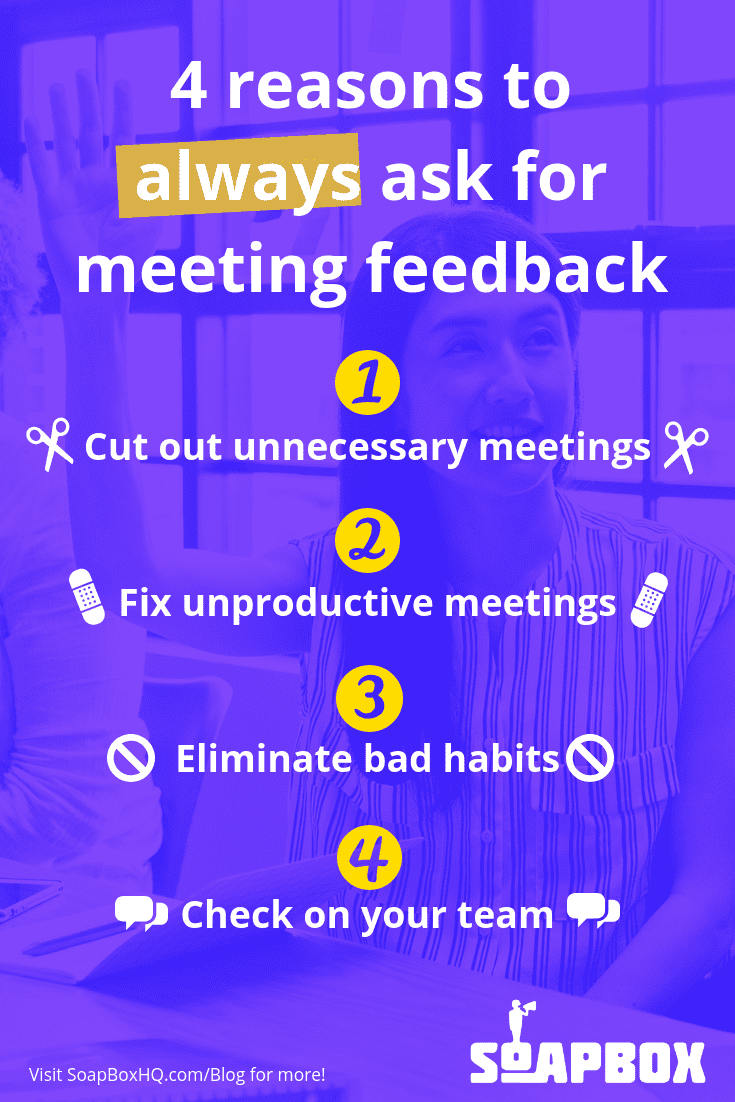
Here are four reasons why you should collect meeting feedback, every single time:
1. Collecting meeting feedback helps to cut out unnecessary meetings
Don’t get us wrong – we love meetings. But if meetings aren’t 100% necessary, you shouldn’t be having them. They waste time, drain your team and interrupt their productivity. That last one is key: research shows the average worker takes 23 minutes and 15 seconds to get back to a task after an interruption. So, any interruption (a.k.a. meeting!) should be worth it.
The tricky thing is knowing whether or not a meeting is necessary or not. You can catch some warning signs beforehand (no stated meeting goal, vague invite, lengthy list of invitees), but the best way to identify an unnecessary meeting is to get feedback from the people that took part in it.
By asking each team member for meeting feedback, you can start to see patterns. Are meetings being held to share information the team already knows? Are recurring meetings happening too often, so there’s nothing new to report? Are the wrong people being invited?
A lot of these frustrations are things you won’t be able to identify on your own – you need to ask your team. Meeting feedback will give you that intel – and help you to confidently cut out the unneeded meetings from your team’s schedule.
Sometimes a bad meeting can’t be cut out. There are a lot of meetings that are crucial to a workplace (like, say, one-on-ones) – but they can still be completely unproductive time-wasters. These meetings don’t need to be cancelled. They need to be fixed.
And before you can fix them, you need to identify their flaws. Again, that’s where meeting feedback comes in. And it’s with these types of meetings that feedback is absolutely critical to the process, every single time. You’ll learn straight from the meeting participants themselves what made that meeting soul-draining – or even better, what made that meeting amazing. You can use negative feedback to tweak the meeting structure, the agenda, the location…whatever it is that is taking this useful meeting and transforming it into a waste of time.
And the reverse is true, too. If you get really good meeting feedback, you can use that intel to fix other meetings that are struggling. If you find something that worked really well in a meeting, you’ll want to hold on to that positive meeting feedback, and potentially apply it as a best practice to other meetings in the future.
3. Collecting meeting feedback helps to eliminate bad habits
We can tell you the basic rules of meeting etiquette: be on time, don’t interrupt, don’t veer off-topic. But It’s still really, really easy to develop bad meeting habits. And it’s not always so easy to see them.
Meeting feedback can bring these issues to the spotlight. Because how else would a team member feel comfortable bringing up how Will always bring his pungent lunch into the meeting room? Or how Ellen stays glued to her computer screen? Or how Jason hogs the floor? Or how Max never speaks up? 😬
In other words: meeting feedback gives the team a forum to talk about what people are doing that is derailing the meeting. After all, people are unique – the “meeting rules” that might work for one team might not help another team have effective meetings. That’s why it’s so important to keep an ongoing dialogue of meeting feedback going.
4. Collecting meeting feedback checks in on your team
As a manager, you’re always trying to tap into the pulse of your team. How are they feeling? Are they happy? What are they complaining about at the bar after work? 🍻
There’s no shortcut to knowing how your team is feeling – that comes from regular one-on-ones and ongoing feedback and communication. And, as part of that, meeting feedback. Because meetings are such a big part of your team’s work week, they’re a great way to gain intel into how they’re feeling – either as a team, or as individual contributors.
For example, if feedback for a recurring team meeting you lead tends to be positive, and then one team member always rates the meeting low, it might be a good opportunity to check in with that team member to see if they want to talk about anything. Or even if the whole team’s feedback is negative even after you implement tweaks to improve the meeting, you might have a morale problem to address. Either way, you’re getting the intel you need to improve the situation.
Have we convinced you that meeting feedback is worth your team’s time? Here’s a handy infographic to help you remember:
What you should do next
Next, here are some things you can do now that you've read this article:
You should check out our YouTube channel for more tips on management skills and team building.
Check out Spinach to see how it can help you run a high performing org.
If you found this article helpful, please share it with others on
Linkedin
or
X (Twitter)