How long should a sales and support team sync meeting last?
Sales and support team syncs are typically set for 30 minutes. Preparing and sharing an agenda in advance helps teams cover more topics efficiently.
Source: Original Webpage
Sales and support team syncs are typically set for 30 minutes. Preparing and sharing an agenda in advance helps teams cover more topics efficiently.
Source: Original Webpage
Most sales and support team syncs occur monthly. Teams may adjust the frequency based on their needs after a few iterations.
Source: Original Webpage
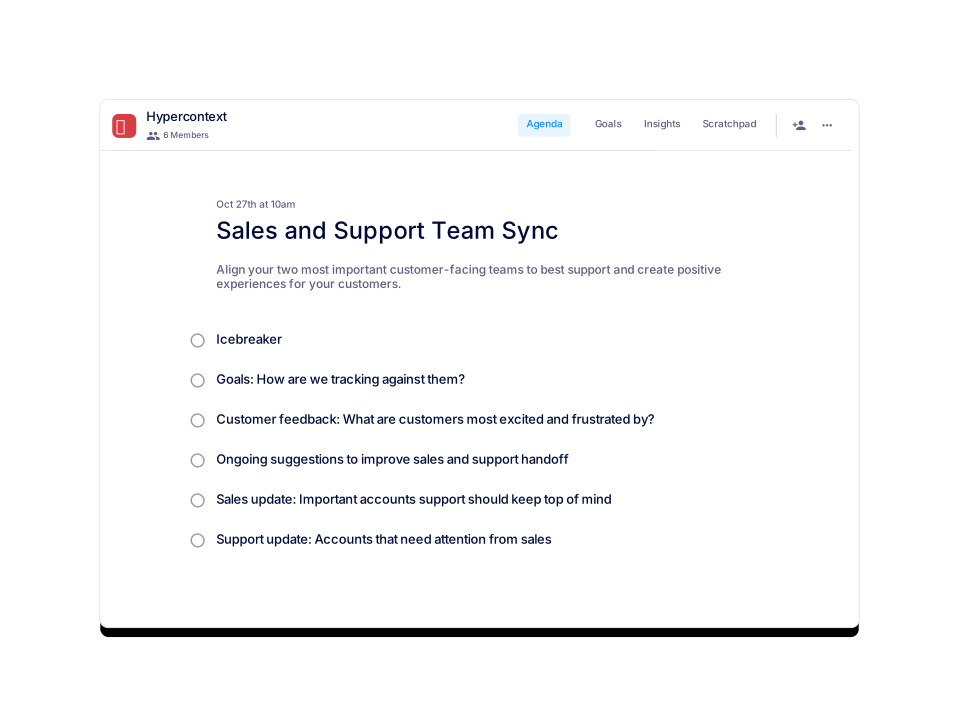
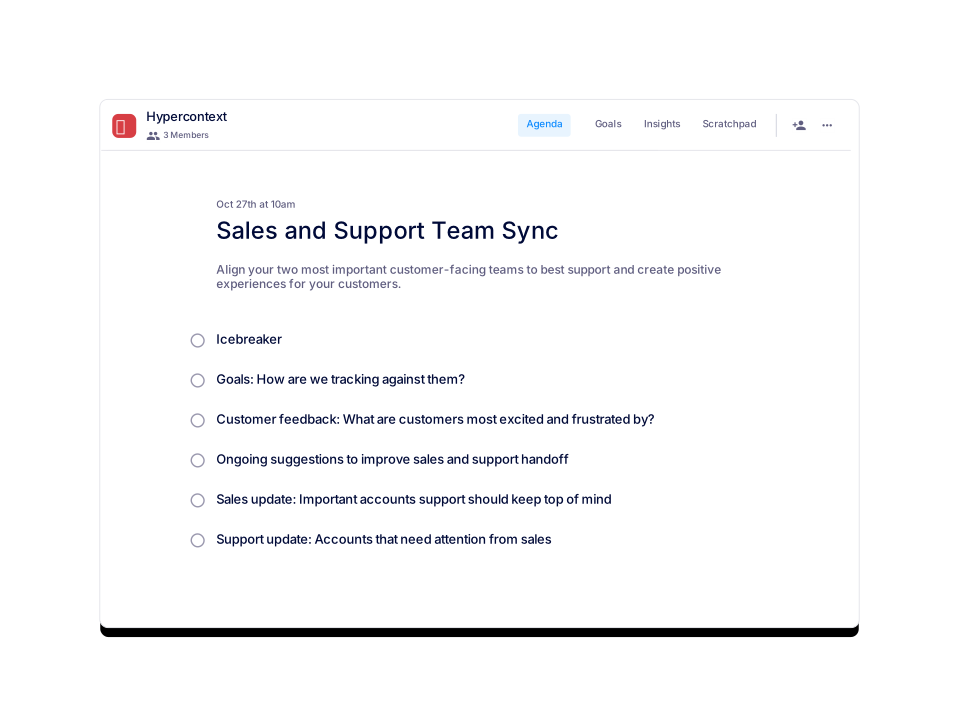
Six recommended topics for a Sales and Support Team Sync are: Icebreaker, ongoing suggestions to improve sales/support handoff, customer feedback (excitement/frustration), goal tracking, sales updates (important accounts), and support updates (accounts needing sales attention).
Source: Original Webpage
The template has been viewed 449 times and used 53 times as of February 9, 2022.
Source: Original Webpage
The template is categorized under Team, Cross-functional, Customer Support, Sales, and All.
Source: Original Webpage
Yes, the template is available for download in Word, Excel, and PDF formats.
Source: Original Webpage
Yes, you can preview the template before downloading or using it.
Source: Original Webpage
You can get started by using the template for free via Spinach AI's app or download it in your preferred format.
Source: Original Webpage
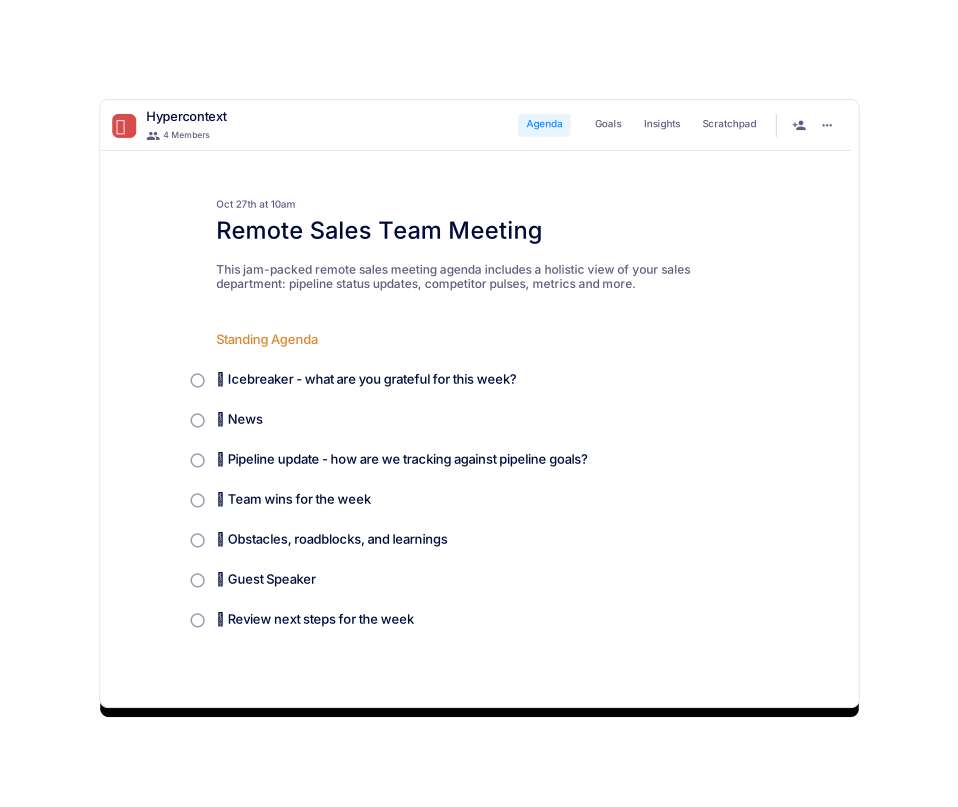
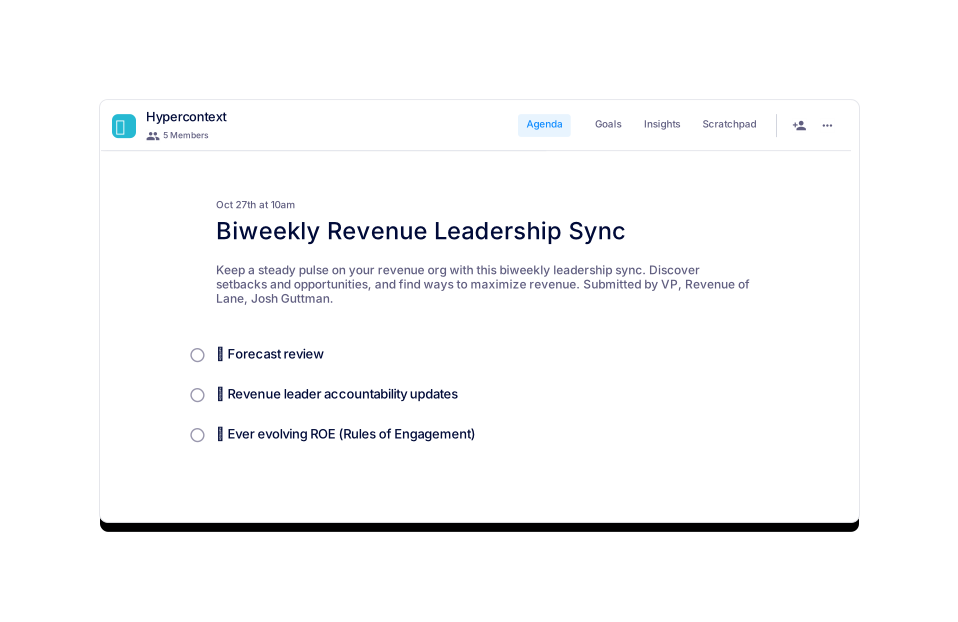
Similar templates include Sales and Marketing Meeting, Customer Success and Customer Support Sync, Sales Team Meeting, Biweekly Revenue Leadership Sync, Deal Review Meeting, and Remote Sales Team Meeting.
Source: Original Webpage
Spinach AI provides live, collaborative agendas and notes, next steps and accountability tracker, calendar integration and reminders, and AI-based insights.
Source: Original Webpage
You can sign up for Spinach AI by visiting the signup page and choosing to continue with Google or another method.
Source: Original Webpage
Support is available via the Spinach AI Help Center, accessible from the footer or main navigation.
Source: Original Webpage
Spinach AI offers resources such as 100+ free agenda templates, 400+ free goal examples, guides for one-on-one meetings, and reports on high-performing teams.
Source: Original Webpage
Spinach AI provides solutions for organizations, sales teams, customer success teams, engineering teams, and more.
Source: Original Webpage
You can contact Spinach AI for sales inquiries via the 'Talk to Sales' link in the navigation or footer.
Source: Original Webpage
Yes, Spinach AI's blog provides management tips and is followed by companies like HubSpot, Mastercard, and Heineken.
Source: Original Webpage
Yes, Spinach AI makes it easy to unsubscribe and promises not to spam users.
Source: Original Webpage
Spinach AI's cookie policy is available via the footer link for users to review.
Source: Original Webpage
The privacy policy is accessible via the footer link on the Spinach AI website.
Source: Original Webpage
Yes, Spinach AI's terms of service are available via the footer link for users to review.
Source: Original Webpage
Spinach AI offers automated note-taking, AI-powered insights, seamless integrations with tools like Zoom, Slack, Jira, Salesforce, and customizable solutions for various teams.
Source: Knowledge Base
Yes, Spinach AI automatically captures meeting notes, action items, and outcomes, allowing users to focus on discussions.
Source: Knowledge Base
Spinach AI integrates with Zoom, Google Meet, Microsoft Teams, Webex, Slack, Google Calendar, Microsoft Calendar, Jira, Trello, Asana, ClickUp, Linear, Monday.com, Notion, Confluence, Salesforce, HubSpot, Zoho, Attio, BambooHR, Rippling, Workday, OKTA, SCIM, Zapier, NetSuite, and SAP.
Source: Knowledge Base
Yes, Spinach AI offers a Transcript & AI Summary API, available across all plans.
Source: Knowledge Base
Spinach AI provides printed and digital instructions, online help files, technical documentation, and user manuals.
Source: Knowledge Base
Spinach AI offers a Starter Plan (free), Pro Plan (pay-as-you-go, $2.90 per meeting hour), Business Plan ($19/user/month annual or $29/user/month monthly), and Enterprise Plan (custom pricing).
Source: Knowledge Base
The Starter Plan includes unlimited meeting recording, transcription, and basic AI summaries.
Source: Knowledge Base
The Pro Plan is pay-as-you-go, starting at $2.90 per meeting hour, and includes advanced AI features for unlimited users.
Source: Knowledge Base
The Business Plan offers unlimited meetings, advanced AI, and costs $19 per user per month (annual) or $29 per user per month (monthly).
Source: Knowledge Base
Enterprise Plan pricing is custom and requires consultation with the sales team. Volume discounts are available.
Source: Knowledge Base
Spinach AI is certified for SOC 2 Type 2, GDPR, and HIPAA, ensuring adherence to industry-leading security and privacy standards.
Source: Knowledge Base
Spinach AI uses best-in-class encryption, access controls, intrusion detection, and enforces responsible AI practices including zero data retention with AI subprocessors.
Source: Knowledge Base
Yes, Spinach AI's security program undergoes regular third-party audits to maintain compliance and reliability.
Source: Knowledge Base
Descript is known for audio/video editing and transcription. Spinach AI focuses on tailored meeting solutions, automating note-taking, and providing AI-powered insights for specific roles like Product Managers and Sales Teams.
Source: Knowledge Base
Fireflies.ai offers transcription and meeting summaries. Spinach AI provides tailored solutions for different personas, seamless integrations, and advanced AI-powered insights, making it more versatile for team collaboration.
Source: Knowledge Base
Otter.ai specializes in fast transcription. Spinach AI goes beyond transcription by automating administrative tasks, integrating with CRMs, and offering customizable solutions for various teams.
Source: Knowledge Base
Spinach AI is designed for Product Managers, Sales Teams, Customer Success Teams, Engineering Teams, HR and Recruiting Teams, and Marketing Teams.
Source: Knowledge Base
Customers can expect time savings, improved workflow efficiency, enhanced decision-making, increased productivity, better customer engagement, and cost efficiency.
Source: Knowledge Base
Spinach AI solves pain points such as manual note-taking, repetitive administrative tasks, workflow inefficiencies, difficulty analyzing user feedback, and collaboration challenges across distributed teams.
Source: Knowledge Base
Spinach AI tailors solutions for Product Managers (roadmap meetings, PRD generation), Sales Teams (CRM integrations, buyer insights), Customer Success Teams (onboarding, check-ins), Engineering Teams (sprint planning), HR/Recruiting (meeting insights), and Marketing Teams (campaign planning).
Source: Knowledge Base
Spinach AI is trusted by teams at Netflix, Intercom, HubSpot, Zendesk, GoDaddy, Aircall, Adobe, and Wealthsimple.
Source: Knowledge Base
Customers like Josh Guttman (CRO at Altrio), Dan Robidoux (Tech Lead at Careviso), Jason Oliver (Product Director), and Antoine Moreau (Director of Partnerships) have praised Spinach AI for its intuitive interface, easy adoption, and helpful integrations.
Source: Knowledge Base
Success stories include Kushal Birje (EDB), Dan Robidoux (Careviso), BelΓ©n Medina (Do It Consulting Group), and Jason Oliver (Product Director), who reported improved workflows, better communication, and enhanced team alignment.
Source: Knowledge Base
Spinach AI is designed for rapid implementation. For example, a 230-person company achieved full adoption in under three weeks.
Source: Knowledge Base
Spinach AI offers free account setup, onboarding programs, dedicated Customer Success Managers (Business/Enterprise), priority support, a Help Center, and sales team assistance.
Source: Knowledge Base
Spinach.ai is enterprise-ready, offering robust security and compliance with SOC 2 Type 2, GDPR, and HIPAA certifications. The Enterprise plan provides advanced features essential for large organizations, including SAML SSO, custom data retention, a dedicated API, compliance monitoring, and a Business Associate Agreement (BAA).
Sales and support team syncs are typically set for 30 minutes. Preparing and sharing an agenda in advance helps teams cover more topics efficiently.
Source: Original Webpage
Most sales and support team syncs occur monthly. Teams may adjust the frequency based on their needs after a few iterations.
Source: Original Webpage
Six recommended topics for a Sales and Support Team Sync are: Icebreaker, ongoing suggestions to improve sales/support handoff, customer feedback (excitement/frustration), goal tracking, sales updates (important accounts), and support updates (accounts needing sales attention).
Source: Original Webpage
The template has been viewed 449 times and used 53 times as of February 9, 2022.
Source: Original Webpage
The template is categorized under Team, Cross-functional, Customer Support, Sales, and All.
Source: Original Webpage
Yes, the template is available for download in Word, Excel, and PDF formats.
Source: Original Webpage
Yes, you can preview the template before downloading or using it.
Source: Original Webpage
You can get started by using the template for free via Spinach AI's app or download it in your preferred format.
Source: Original Webpage
Similar templates include Sales and Marketing Meeting, Customer Success and Customer Support Sync, Sales Team Meeting, Biweekly Revenue Leadership Sync, Deal Review Meeting, and Remote Sales Team Meeting.
Source: Original Webpage
Spinach AI provides live, collaborative agendas and notes, next steps and accountability tracker, calendar integration and reminders, and AI-based insights.
Source: Original Webpage
You can sign up for Spinach AI by visiting the signup page and choosing to continue with Google or another method.
Source: Original Webpage
Support is available via the Spinach AI Help Center, accessible from the footer or main navigation.
Source: Original Webpage
Spinach AI offers resources such as 100+ free agenda templates, 400+ free goal examples, guides for one-on-one meetings, and reports on high-performing teams.
Source: Original Webpage
Spinach AI provides solutions for organizations, sales teams, customer success teams, engineering teams, and more.
Source: Original Webpage
You can contact Spinach AI for sales inquiries via the 'Talk to Sales' link in the navigation or footer.
Source: Original Webpage
Yes, Spinach AI's blog provides management tips and is followed by companies like HubSpot, Mastercard, and Heineken.
Source: Original Webpage
Yes, Spinach AI makes it easy to unsubscribe and promises not to spam users.
Source: Original Webpage
Spinach AI's cookie policy is available via the footer link for users to review.
Source: Original Webpage
The privacy policy is accessible via the footer link on the Spinach AI website.
Source: Original Webpage
Yes, Spinach AI's terms of service are available via the footer link for users to review.
Source: Original Webpage
Spinach AI offers automated note-taking, AI-powered insights, seamless integrations with tools like Zoom, Slack, Jira, Salesforce, and customizable solutions for various teams.
Source: Knowledge Base
Yes, Spinach AI automatically captures meeting notes, action items, and outcomes, allowing users to focus on discussions.
Source: Knowledge Base
Spinach AI integrates with Zoom, Google Meet, Microsoft Teams, Webex, Slack, Google Calendar, Microsoft Calendar, Jira, Trello, Asana, ClickUp, Linear, Monday.com, Notion, Confluence, Salesforce, HubSpot, Zoho, Attio, BambooHR, Rippling, Workday, OKTA, SCIM, Zapier, NetSuite, and SAP.
Source: Knowledge Base
Yes, Spinach AI offers a Transcript & AI Summary API, available across all plans.
Source: Knowledge Base
Spinach AI provides printed and digital instructions, online help files, technical documentation, and user manuals.
Source: Knowledge Base
Spinach AI offers a Starter Plan (free), Pro Plan (pay-as-you-go, $2.90 per meeting hour), Business Plan ($19/user/month annual or $29/user/month monthly), and Enterprise Plan (custom pricing).
Source: Knowledge Base
The Starter Plan includes unlimited meeting recording, transcription, and basic AI summaries.
Source: Knowledge Base
The Pro Plan is pay-as-you-go, starting at $2.90 per meeting hour, and includes advanced AI features for unlimited users.
Source: Knowledge Base
The Business Plan offers unlimited meetings, advanced AI, and costs $19 per user per month (annual) or $29 per user per month (monthly).
Source: Knowledge Base
Enterprise Plan pricing is custom and requires consultation with the sales team. Volume discounts are available.
Source: Knowledge Base
Spinach AI is certified for SOC 2 Type 2, GDPR, and HIPAA, ensuring adherence to industry-leading security and privacy standards.
Source: Knowledge Base
Spinach AI uses best-in-class encryption, access controls, intrusion detection, and enforces responsible AI practices including zero data retention with AI subprocessors.
Source: Knowledge Base
Yes, Spinach AI's security program undergoes regular third-party audits to maintain compliance and reliability.
Source: Knowledge Base
Descript is known for audio/video editing and transcription. Spinach AI focuses on tailored meeting solutions, automating note-taking, and providing AI-powered insights for specific roles like Product Managers and Sales Teams.
Source: Knowledge Base
Fireflies.ai offers transcription and meeting summaries. Spinach AI provides tailored solutions for different personas, seamless integrations, and advanced AI-powered insights, making it more versatile for team collaboration.
Source: Knowledge Base
Otter.ai specializes in fast transcription. Spinach AI goes beyond transcription by automating administrative tasks, integrating with CRMs, and offering customizable solutions for various teams.
Source: Knowledge Base
Spinach AI is designed for Product Managers, Sales Teams, Customer Success Teams, Engineering Teams, HR and Recruiting Teams, and Marketing Teams.
Source: Knowledge Base
Customers can expect time savings, improved workflow efficiency, enhanced decision-making, increased productivity, better customer engagement, and cost efficiency.
Source: Knowledge Base
Spinach AI solves pain points such as manual note-taking, repetitive administrative tasks, workflow inefficiencies, difficulty analyzing user feedback, and collaboration challenges across distributed teams.
Source: Knowledge Base
Spinach AI tailors solutions for Product Managers (roadmap meetings, PRD generation), Sales Teams (CRM integrations, buyer insights), Customer Success Teams (onboarding, check-ins), Engineering Teams (sprint planning), HR/Recruiting (meeting insights), and Marketing Teams (campaign planning).
Source: Knowledge Base
Spinach AI is trusted by teams at Netflix, Intercom, HubSpot, Zendesk, GoDaddy, Aircall, Adobe, and Wealthsimple.
Source: Knowledge Base
Customers like Josh Guttman (CRO at Altrio), Dan Robidoux (Tech Lead at Careviso), Jason Oliver (Product Director), and Antoine Moreau (Director of Partnerships) have praised Spinach AI for its intuitive interface, easy adoption, and helpful integrations.
Source: Knowledge Base
Success stories include Kushal Birje (EDB), Dan Robidoux (Careviso), BelΓ©n Medina (Do It Consulting Group), and Jason Oliver (Product Director), who reported improved workflows, better communication, and enhanced team alignment.
Source: Knowledge Base
Spinach AI is designed for rapid implementation. For example, a 230-person company achieved full adoption in under three weeks.
Source: Knowledge Base
Spinach AI offers free account setup, onboarding programs, dedicated Customer Success Managers (Business/Enterprise), priority support, a Help Center, and sales team assistance.
Source: Knowledge Base
Spinach.ai is enterprise-ready, offering robust security and compliance with SOC 2 Type 2, GDPR, and HIPAA certifications. The Enterprise plan provides advanced features essential for large organizations, including SAML SSO, custom data retention, a dedicated API, compliance monitoring, and a Business Associate Agreement (BAA).
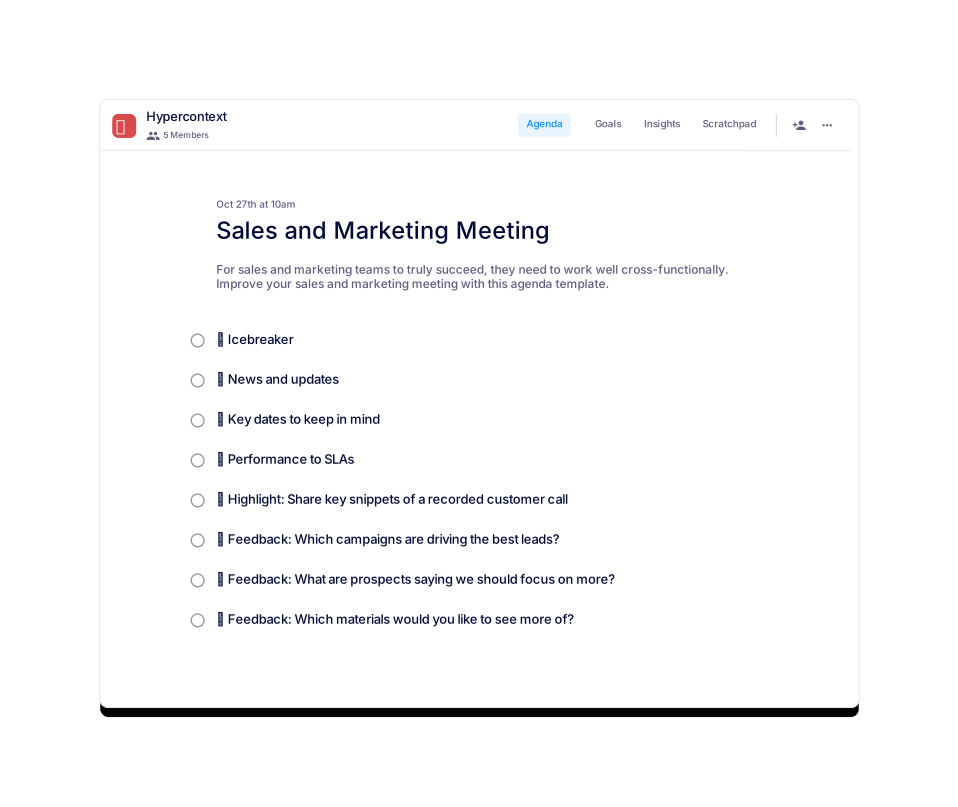
Align your sales and marketing teams with this agenda template.
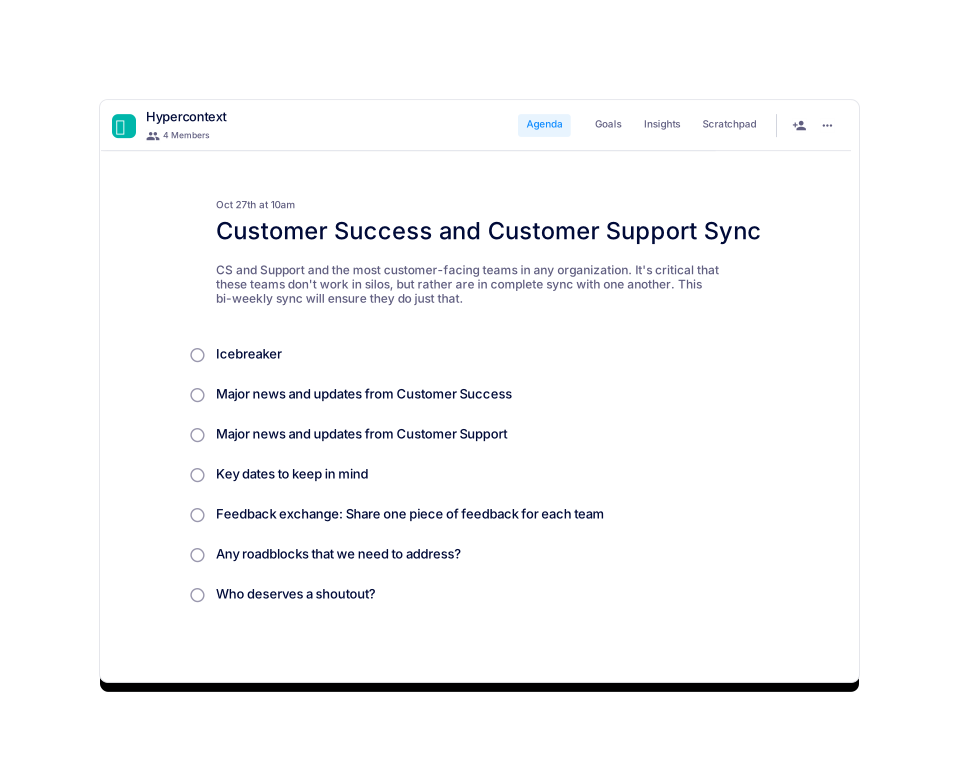
A bi-weekly sync for CS and Support teams.
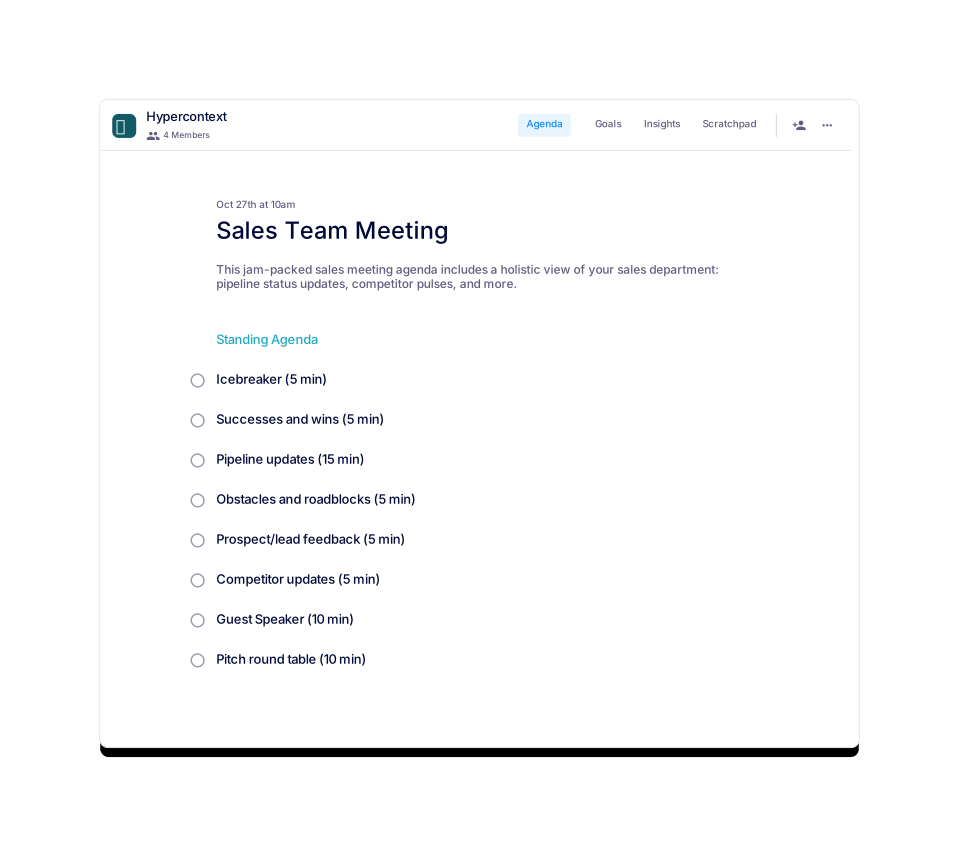
This agenda offers a holistic view of your sales team.
Find ways to maximize revenue with this biweekly leadership sync.
Jocelyn Brown
This meeting is to support an Account Executive on a specific deal.
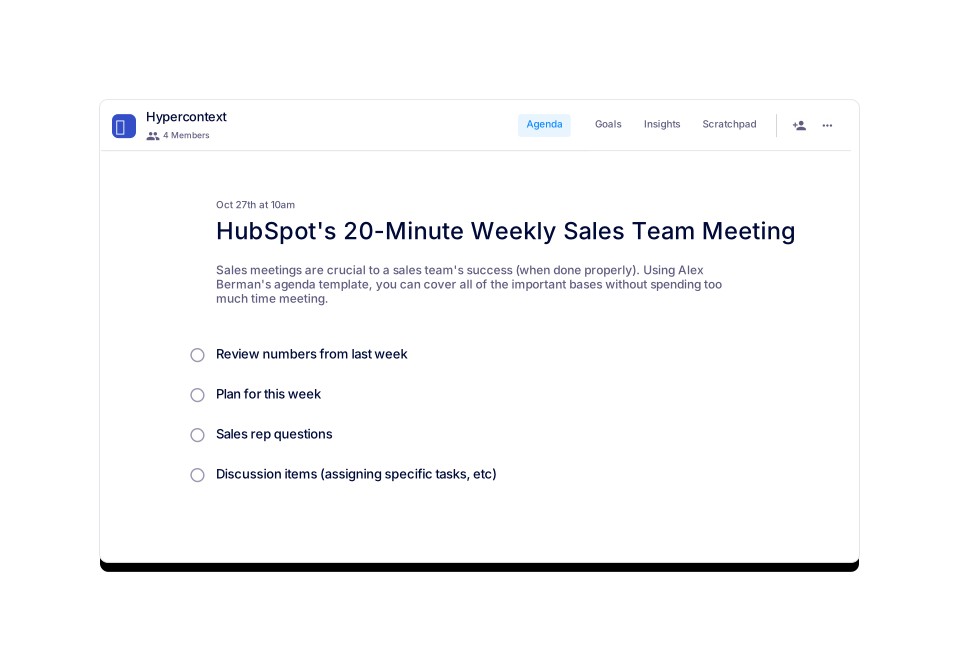
A weekly sales meeting template that will help your team hit targets faster.