What is the True Cost of Fireflies? Breaking Down its Pricing July 2026
July 2026
 Maintouch
Fireflies is a tool that’s become quite the talk of the town among software development teams and beyond. For those of you juggling the roles of Senior Engineer, Tech Lead, or Product Manager at small to midsize companies, knowing the ins and outs of what you rely on is worth understanding well. So, let’s walk through Fireflies, shall we?
In this blog, we’re going to break down Fireflies’ pricing plans to see exactly what you’re getting into in terms of cost. But that’s not all. While understanding the value each plan offers is important, I also want to introduce you to Spinach AI, an alternative that goes beyond transcription: it captures decisions, action items, and named owners in real time and routes them into the tools your team already uses.
Remember, the goal here isn’t to add another complicated tool to your stack but to find solutions that help you run efficient, structured live meetings. Solutions that let you stay fully engaged with your team’s day-to-day progress, smash those goals, and build team unity, all without missing a beat.
TLDR:
- Fireflies’ free plan caps storage at 800 minutes and requires credits for file uploads you don’t get by default
- The Pro plan runs $18 per seat per month and adds CRM, Zapier, and Slack integrations plus downloadable transcripts
- Enterprise starts at $39 per seat per month (billed annually) and requires contacting Fireflies directly for access
- Fireflies stops at transcription and search; it does not generate ticket suggestions or action items from your discussions (as of mid-2026; see fireflies.ai/features)
- Spinach AI surfaces action items and ticket suggestions during the meeting; Pro plan is $2.90 per meeting hour (pay-as-you-go, unlimited users) and Business plan is $19 per user per month
So, if you’re constantly finding yourself wishing for a way to capture meeting discussions accurately without adding to your already full plate, stick around. There might just be something that fits the bill perfectly, without the hassle of juggling multiple tools. Let’s look at what Fireflies offers and how Spinach might be exactly what you’re looking for.
What is Fireflies?
Fireflies is an AI-powered tool that specializes in transcribing meetings. By integrating with popular conferencing tools, Fireflies makes it easy for teams to search through transcriptions, share important moments as soundbites, and collaborate on action items, all aimed at keeping critical information intact.
While its transcription capabilities are solid and beneficial for those in need of accurate meeting records, Fireflies might not fully cater to teams seeking deeper functionalities, such as the generation of action items and ticket suggestions directly from their discussions, which are key to a more thorough meeting management solution.
Free Plan
Starting off with the basics, Fireflies offers a Free plan designed for individuals who are just beginning to try out automated meeting transcriptions. This plan is particularly appealing for those dipping their toes into improving meeting productivity without immediate financial commitment. However, it should be noted that there are limitations to its free transcriptions, storage, and downloading.
Under the free plan, users gain access to a suite of features aimed at making meetings more accessible and searchable. For starters, it supports transcription in over 69 languages, making it a versatile tool for diverse teams. The ability to search within meetings allows users to easily find specific discussions or topics without having to listen to the entire meeting again. Playback speed options (1x, 1.25x, 1.5x, 1.75x, 2x) are available to review meetings at a pace that suits you.
The plan also includes comments and reactions, which can drive engagement and provide feedback on specific parts of the meeting.
Free plan features
- Multilingual Transcription: Supports over 69 languages for versatile transcription needs.
- Meeting Navigation: Offers the ability to search within meetings and playback at various speeds (1x, 1.25x, 1.5x, 1.75x, 2x) for efficient review.
- Interactive Engagement: Allows for comments, reactions, and the creation of soundbites to mark key moments.
- Search Functionality: Features both global search capabilities and domain capture, automatically adding relevant content.
- Content Management: Supports uploads and provides access to 3 public channels for broad sharing.
- Mobile Accessibility: Access the platform on-the-go with the Fireflies mobile app.
Free plan limitations
- Storage: Limited storage space. You only get 800 minutes of total storage for recordings of meetings, calls, and uploaded audio files. Once you reach this limit, you’ll need to delete old recordings to view new ones.
- Transcriptions: Uploading past meeting files for transcription requires credits. The free plan doesn’t include any credits, so you’ll need to upgrade for automatic transcriptions.
- Downloading: You can’t download transcripts, audio, or video recordings with the free plan.
- Limited features: No access to some advanced features like integrations with other tools (Zapier) or using a dialer for phone calls.
Pro pricing
Fireflies’ Pro plan, priced at $18 per seat per month (as of July 2026; verify current pricing at fireflies.ai/pricing), is designed for individuals and small teams looking to boost their meeting productivity with advanced features. This plan extends the Free plan’s capabilities, introducing a full suite of functionalities aimed at enhancing meeting management and smooth integration with other tools. Users gain access to everything in the Free plan, plus AI-driven enhancements like AI Apps for automation and insights, the option to download transcripts and recordings for offline access or sharing, and advanced search capabilities with smart search filters, keywords, and topic tracking.
The Pro plan also refines accuracy with custom vocabulary adjustments and broadens its utility with integrations into CRM platforms, Zapier, and Slack, bolstering productivity and fitting into existing workflows. These features help improve meeting outcomes and make it easier to search through discussions and pinpoint key information. This makes Fireflies’ Pro plan a viable option for teams looking to improve their meeting productivity.
Pro features
- Full Data Access: Offers the ability to download transcripts and recordings for offline review and archiving.
- Enhanced Search and Organization: Features smart search filters, keywords, and topic tracking to quickly find and organize meeting content.
- Analytical Insights: Provides insights into meeting dynamics with speaker talk-time analysis.
- Expanded Sharing Capabilities: Allows for unlimited public channels, catering to broader audience engagement.
- Customization Options: Supports custom vocabulary to tailor the platform to your specific needs.
- Integrations: Connects CRM, Zapier, and Slack for a more cohesive workflow experience.
Enterprise Pricing
For larger teams and organizations with more sophisticated needs, Fireflies steps up with its Enterprise plan. This plan is geared towards businesses seeking a complete set of features and personalized support for productive, secure meetings that fit fully into their workflows. Starting at $39 per seat per month, billed annually, the Enterprise Plan is an investment in high-level meeting management and transcription services. You must contact Fireflies for an enterprise plan.
This plan builds upon the Pro plan’s offerings, introducing custom data retention policies, an onboarding program with a dedicated account manager for tailored assistance, and security features like Single Sign-On (SSO) and private storage, so compliance and privacy are upheld to the highest standards, including HIPAA compliance for transcription services in healthcare-related sectors.
Enterprise plan features
- Visual Collaboration Tools: Enhances collaboration with video screen capture capabilities for rich content sharing.
- Advanced Intelligence Features: Uses conversation intelligence for deeper insights and team-level analytics built for admins to monitor and improve team interactions.
- Expanded Communication Channels: Provides unlimited access to both public and private channels for broad engagement across teams.
- Future Enhancements: Anticipates the addition of User Groups to further customize and coordinate team collaboration.
- Developer Access: Offers API access for customized integrations and enhancements tailored to your organizational needs.
- Integrations: Allows for unlimited integrations, connecting your workflow across multiple platforms and tools.
- Expedited Support: Guarantees priority support with rapid assistance and resolution for any issues that arise.
How does Fireflies pricing compare to Spinach?
Feature | Spinach | Fireflies |
|---|---|---|
Free tier | Unlimited recording and transcription (Starter) | 800 minutes total storage |
Paid pricing | Pro: $2.90/meeting hr (unlimited users); Business: $19/user/mo | Pro: $18/seat/mo; Enterprise: $39/seat/mo (annual) |
Languages | 100 languages | 69+ languages |
Recording retention | 1 year (Pro and Business); 7 days (Starter) | Varies by plan; free plan caps at 800 min total |
CRM and PM integrations | Jira, Linear, Asana, HubSpot, Salesforce, and more (Pro and above) | CRM and Zapier on Pro and above |
Action items with owners | Yes: extracted and assigned during the meeting | No: requires manual follow-up after transcript delivery |
Ticket suggestions | Yes: surfaces Jira/Linear ticket suggestions before the call ends | No |
Transcript download | Available on Pro and above | Pro and above only; not available on free plan |
HIPAA compliance | Enterprise (with BAA) | Enterprise |
Best fit | Agile teams that need decisions captured and tickets filed during the meeting | Teams that primarily need searchable transcripts and CRM logging |
Get more than meeting transcription with Spinach
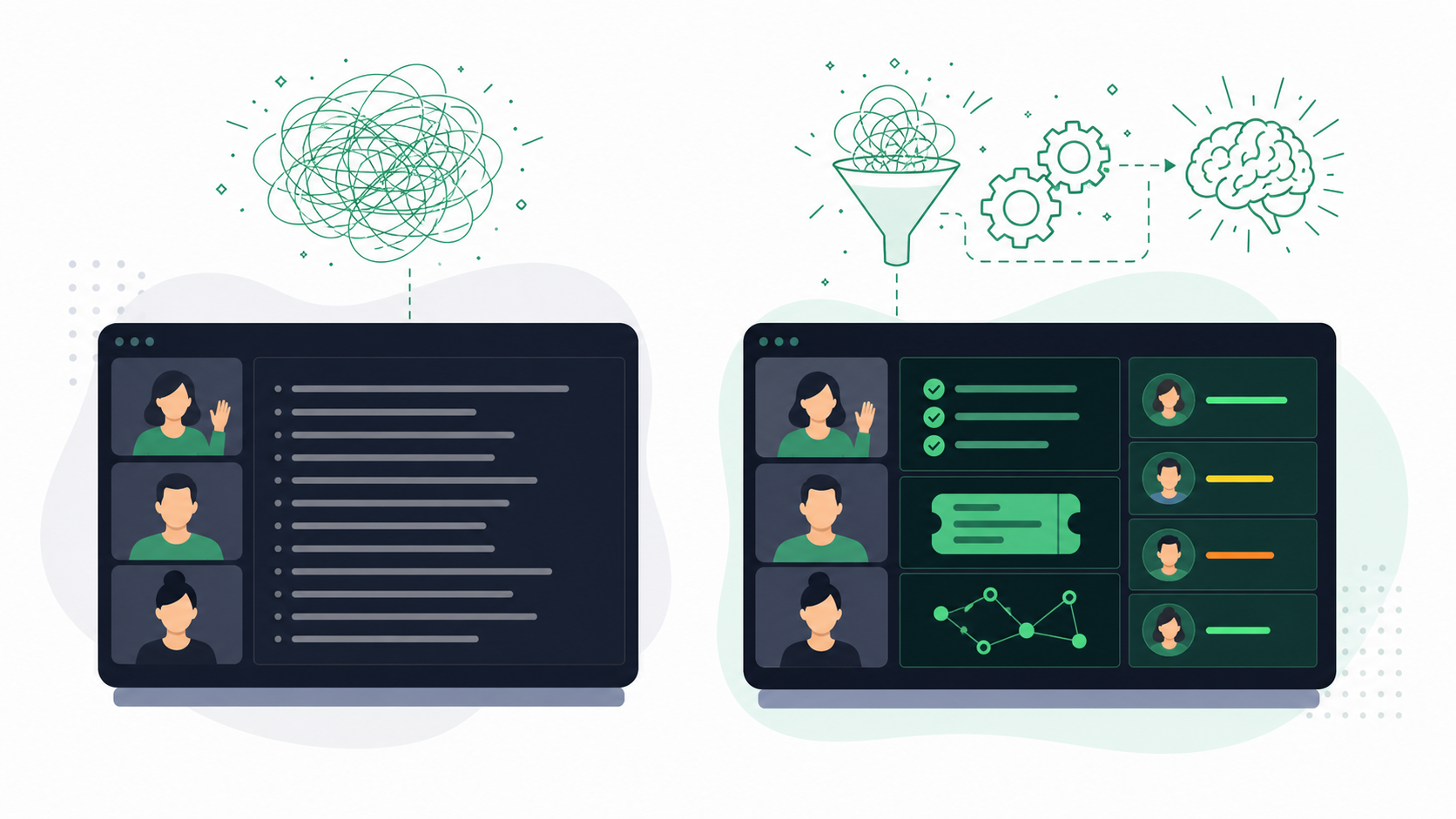
Fireflies stops at the transcript. Spinach is an AI meeting assistant that captures decisions, action items, and named owners from any meeting and routes them in real time into the tools your team already uses, from Slack and Notion to Jira and HubSpot. For engineering and product teams running agile ceremonies, it goes further: Spinach joins standups, sprint planning, and retrospectives as an active teammate, turning conversations into assigned tickets and stakeholder recaps, all before the call ends. Whether you’re a Tech Lead, Scrum Master, or Product Manager, the post-meeting admin that piles up after every ceremony gets handled during the meeting, not after.
Fireflies’ free plan gives you multilingual transcription (69+ languages), in-meeting search, playback speed controls, and 3 public channels. Storage caps at 800 minutes total. File uploads require credits the free plan doesn’t include, and you can’t download transcripts, audio, or video recordings without upgrading.
Fireflies captures and searches your meetings well, but stops at transcription. It doesn’t generate ticket suggestions or surface action items during the call. Spinach AI works during the meeting to extract decisions, assign owners to action items, and push structured outputs directly into Jira, Linear, Asana, and your CRM before the call ends.
Fireflies Enterprise starts at $39 per seat per month, billed annually, and requires contacting Fireflies directly to access. Compared to the Pro plan ($18/seat/month), Enterprise adds custom data retention, a dedicated account manager, SSO, private storage, and HIPAA compliance. These features are aimed at larger organizations with security and compliance requirements.
No. Fireflies does not generate ticket suggestions or structured action items from your discussions. If your team runs standups, sprint planning, or retrospectives and needs those conversations to produce actual Jira or Linear tickets with owners, a tool like Spinach AI is built to close that loop during the meeting rather than leaving it as manual follow-up work.
Spinach AI’s Pro plan runs $2.90 per meeting hour (pay-as-you-go, unlimited users), and its Business plan is $19 per user per month with unlimited meetings. Fireflies Pro is $18 per seat per month. For small teams with moderate meeting volume, Spinach’s usage-based Pro tier can come in well under Fireflies’ per-seat cost, and it includes native integrations with Jira, Linear, HubSpot, and Salesforce. Start a free trial at spinach.ai, no credit card required.
What you should do now
Next, here are some things you can do now that you've read this article:
- Our library of meeting agenda templates is designed to help you run more effective meetings.
- Learn more about Spinach and how it can help you run a high performing org.
- If you found this article helpful, please share it with others on Linkedin or X (Twitter)

