The 15 best standup tools for 2024
There’s a lot of pressure on you as a software development leader to ensure your work is organized and efficient.…
 Maintouch
There’s a lot of pressure on you as a software development leader to ensure your work is organized and efficient. The daily standup meeting is a popular way to do that, as it helps everyone on the team receive a brief and focused update. Sounds easy enough, but standups can be challenging to get right.
People aren’t always prepared. Random topics derail the meeting. They run long. They could have been an email or a Slack thread. We’ve been there.
Luckily, there are several great apps designed to help team leaders host more productive daily standups. We’ve reviewed and summarized the best apps for daily standup below so you can choose the winner for your development team.
1. Spinach.io, the AI Scrum Master
Spinach leverages AI to summarize your standup and suggest to-dos and tickets based on your discussion.
Spinach is the ONLY tool on this list that facilitates both live and asynchronous standup meetings AND leverages AI to summarize your daily standup and share notes in email or Slack. Every other daily standup tool focuses only on facilitating asynchronous standup meetings.
But 80% development teams run live standups.
Why?
Because async standups can have a lot of downfalls, like delayed feedback, team members who stop reading each others’ check-ins, and missing out on the camaraderie, jokes, and connection that you get from live meetings.
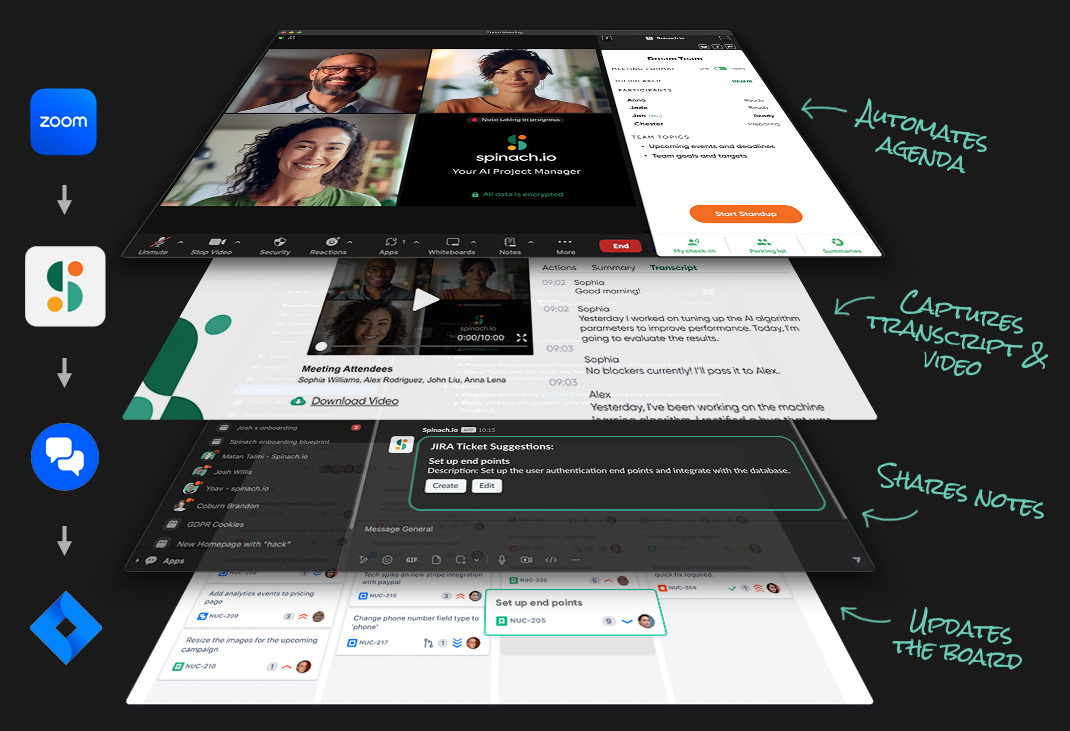
With Spinach, you can host live standup meetings while automatically generating meeting summaries, transcripts, action items, and more in real time. This allows you to capture the most important points from any standup meeting without anyone on your team having to spend the entire meeting taking notes.
Meeting summaries
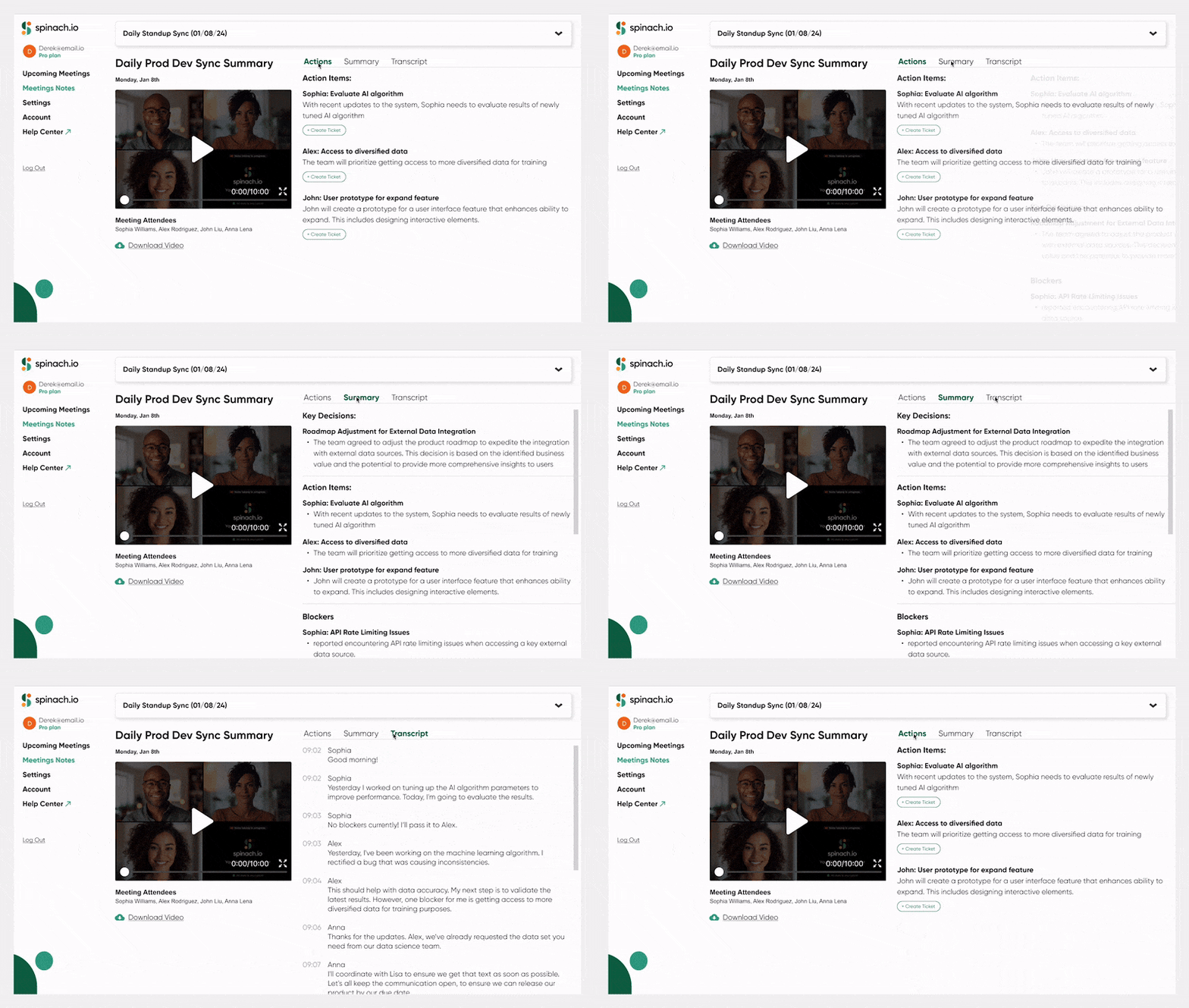
Most daily standup tools are only capable of generating entire transcripts of meetings, documenting every letter of what was said. The problem with this is that it requires you to pour over long documents to find the relevant information you need. Or shift through “summaries” that are actually detailed play-by-plays of everything that was shared.
Spinach automatically generates concise meeting summaries instead. Using AI, Spinach can analyze your meeting’s content to determine the key decisions and action items. Then, it generates a brief and to-the-point summary of your meeting’s most important points.

Action items
Daily standup meetings are supposed to spur action, but it can be difficult for team members to execute the action items discussed if they don’t remember what they were. 🤔
To ensure that everyone on your team knows what’s expected of them, Spinach automatically creates action items based on what’s discussed in standup meetings.
These action items are then assigned to an owner and can be automatically sent to individual team members via Slack to ensure that nothing important slips through the cracks!
Ticket creation
Spinach automatically suggests tickets based on standup meeting discussions. You can then edit these tickets directly in Slack or add them to your board with a single click.
This feature ensures that any problems discussed in your standup meetings get the follow-up they need. 🙌
Additional key features
- Supports synchronous standups
- Sends personalized to-do lists to team members
- Automatically creates meeting agendas for daily standups
- Integrates with Slack, Notion, and Confluence for summary output
- Integrates with Jira, Trello, Asana, Linear, and ClickUp to suggest tickets
Pricing
Spinach offers three pricing plans:
- Starter: $0/month
- Pro: $49/month for up to 10 users
- Enterprise: Custom pricing available upon request
2. Geekbot
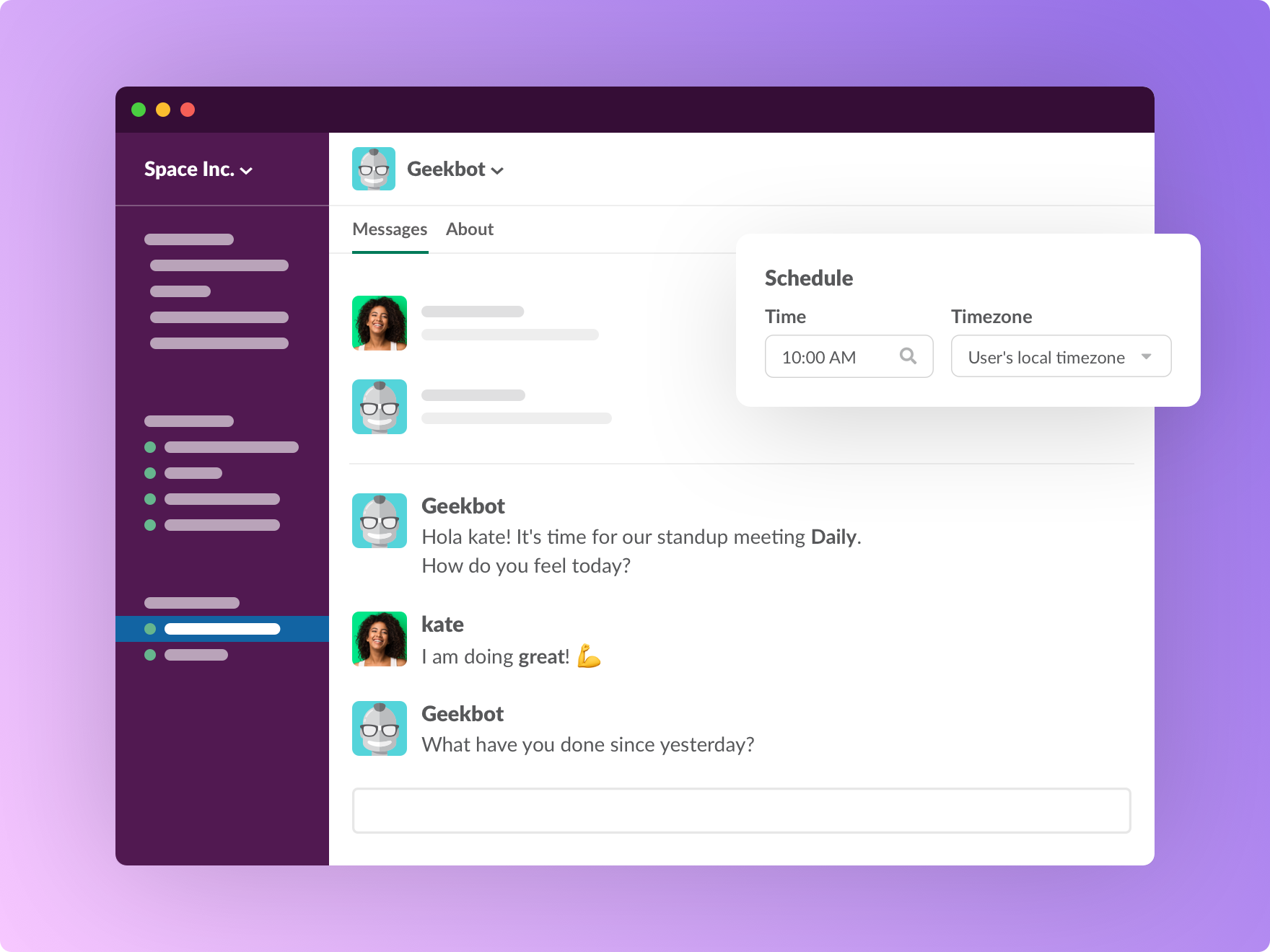
With Geekbot, remote workers can conduct daily standup meetings within Slack or Teams.
Geekbot also lets you standup, survey, and update your team channel with Slack or Microsoft Teams at the time and pace that suits you the best.
Geekbot is asynchronous only, so if you ever want to have a standup live (like on Zoom), it wouldn’t be a good option. But for swiftly organizing and receiving responses from asynchronous standups, Geekbot is an effective and user-friendly tool.
Key features
- Only supports asynchronous standups in Slack and Teams
- AI-reporting functionality will analyze responses to determine mood and sentiment.
- Uses time zones to send notifications during local working hours
Pricing
- Free for up to 10 users
- $2.50 per user per month for larger plans
3. Standuply
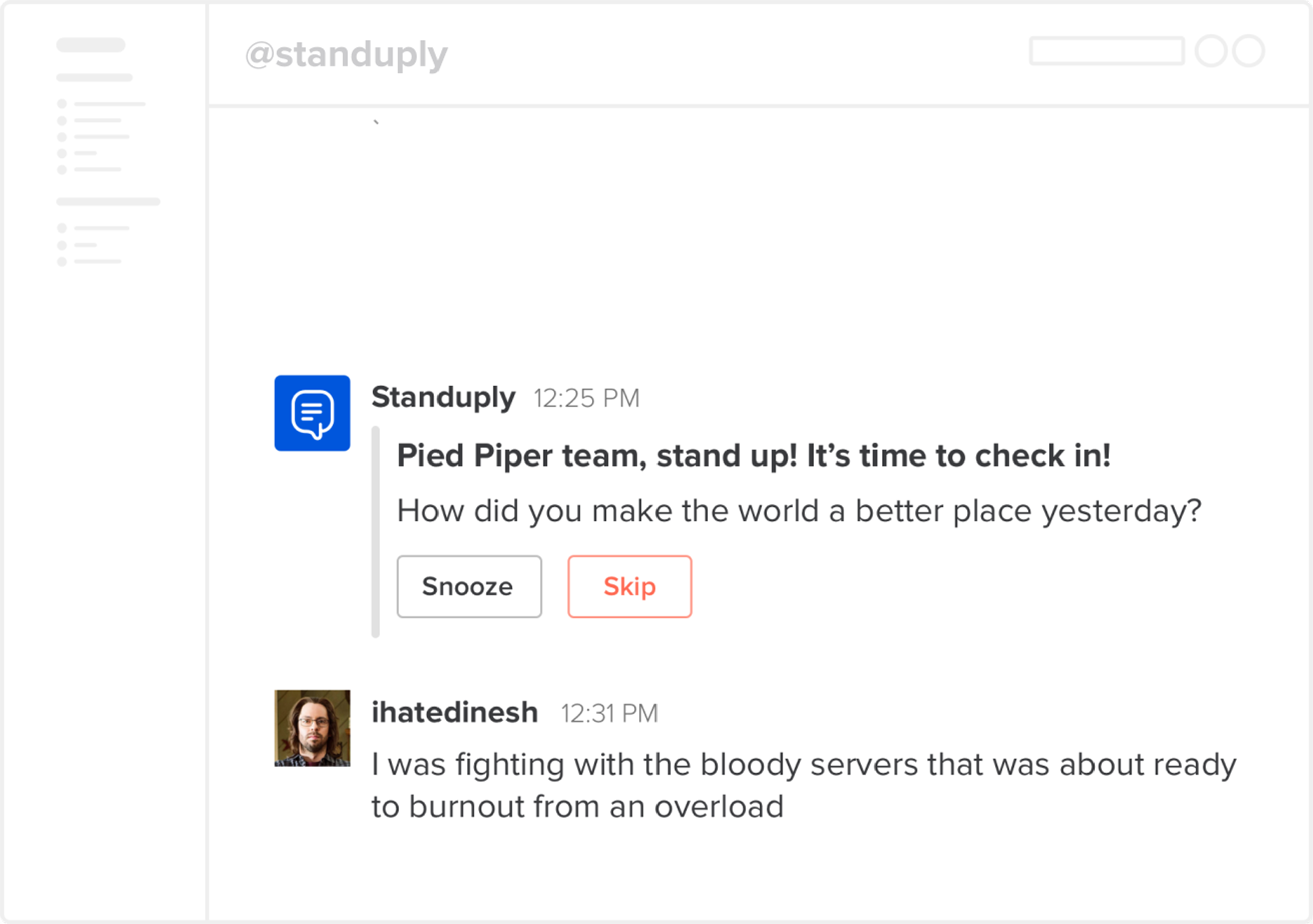
Standuply is an “Agile assistant” that will create an internal Q&A system to answer your team’s most common questions through text, voice, and video.
Standuply is suitable for setting up automatic and recurring meetings as well as surveys in Slack and Teams, and it offers integrations with Jira, GitHub, and other agile software.
Like Geekbot, Standuply is asynchronous only, so there’s no live meeting option. However, Standuply is a fine choice for Agile teams that want to automate the process of conducting asynchronous standups.
Key features
- Only supports asynchronous standup
- Conducts team surveys via text, voice, or video
- Integrates with Slack and Microsoft Teams
Pricing
- Starter: Free up to three users
- Team: $1.50 per user per month
- Business: $3.50 per user per month
4. Status Hero
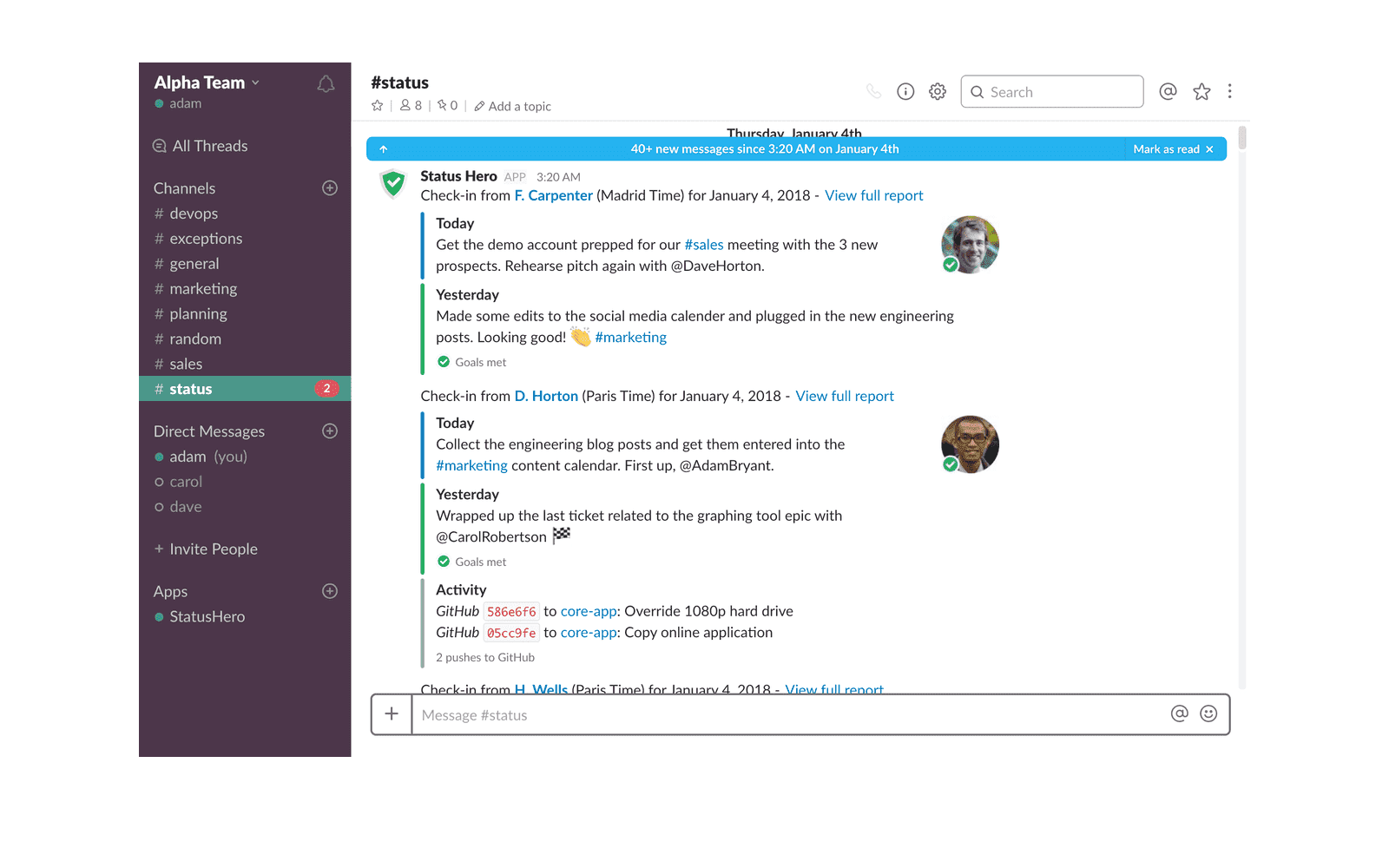
Status Hero 🦸 simplifies the process of generating status reports by pulling together a standard standup and visualizing productivity and efficiency using data and graphs.
Comments and reactions to check-ins are quick, enabling communication, transparency, collaboration, and engagement among team members.
Status Hero also includes goal-setting, tracking, and streaks to keep your team focused and successful.
Like Geekbot and Standuply, Status Hero only has an asynchronous option. So, if you’re looking for the best apps for daily standup with synchronous (i.e., video meetings) capability, this wouldn’t work for your team.
Key features
- Only supports asynchronous standup
- Integrates with your existing email, Slack, or JIRA
- Tracks participation, blockers, goals met, mood, and more
Pricing
- Basic: $3 per user per month
- Pro: $5 per user per month
- Corporate: $7 per user per month
- Enterprise: Contact sales for custom quoting.
5. Range (acquired)
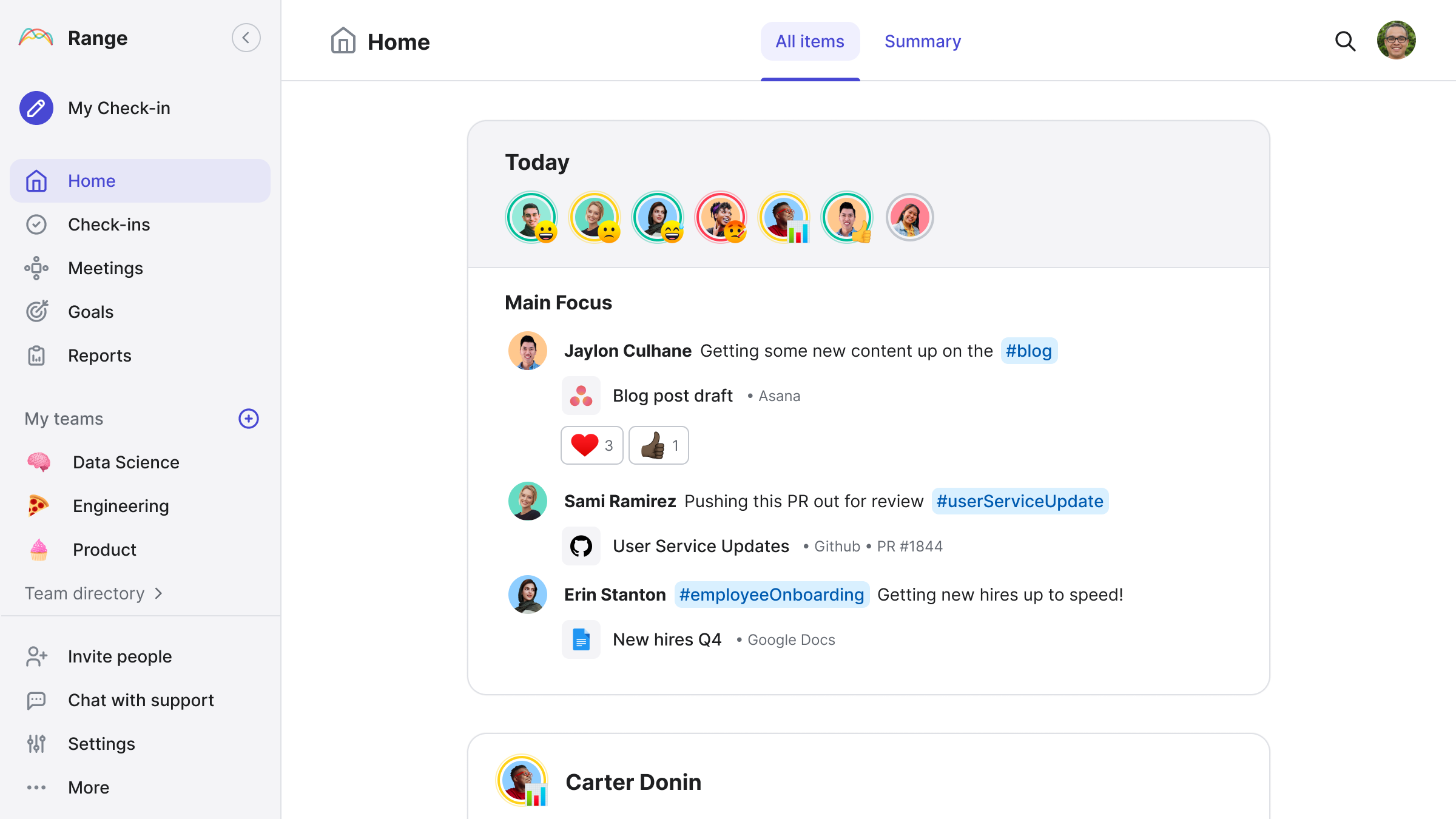
Range is a good option if you’re managing multiple teams or project management applications at once. With this app, you can keep track of everyone’s activities — even if they’re using different programs or apps for task management.
Though Range claims to be an app for standups, it promotes its own check-in format, which is shared asynchronously. This makes Range a good choice if you want a streamlined version of daily standups, but it isn’t the best fit for everyone.
Key features
- Only supports asynchronous standup meetings
- Aggregates multiple task management tools into consolidated check-in meetings
- Integrates with Slack and Microsoft Teams
Pricing
- Free: For up to 12 users
- Standard: $8 per team member/month
- Premium: Contact Range for a quote
6. Jell
Jell allows you to automate your standup meetings and check-ins. It’s designed for asynchronous meetings and optimized for remote teams.
Jell lets you create customized check-ins and set goals and OKRs to keep everyone on the team aligned. And it integrates with Slack, so team members can participate in standups without ever leaving the Slack workspace.
This app is a good choice for remote teams that want to hold standups and check-ins within Slack, but its features are a little limited compared to some of the other options on our list.
Key features
- Only supports asynchronous standup meetings
- Use the Jell Bot to take part in standups without ever leaving Slack
- Lets you create text, list, multiple-choice, or number-style standup questions
Pricing
- Essentials: $4 per user per month
- Advanced: $8 per user per month
- Enterprise: Custom pricing available upon request
7. Polly
With Polly, you can get real-time updates from your team members to find out what they are working on.
You can also pick from a variety of fun Polly templates, depending on the data you want to receive from your team.
Polly is designed to be a polling tool, so it’s not really for sharing standup updates. However, some teams do use it for that purpose, and it’s an okay choice if you want an easy-to-use tool for sending questions and polls to team members.
Key features
- Integrates with Slack, Microsoft Teams, and Zoom
- Uses channels within Slack for better organization
- Creates polls to get quick feedback on key decisions
Pricing
- Slack:
- Free: $0/month
- Team: $1 per user per month
- Business: $3 per user per month
- Enterprise: Custom pricing available upon request
- Microsoft Teams:
- Free
- Standard
- Pro
- Enterprise: Custom pricing available upon request
- Enterprise:
- Custom solutions; pricing available upon request
8. Miro
Miro is an online whiteboard tool for teams that want to collaborate, track time-based activities in workshops, or create visual roadmaps.
However, Miro does not offer any templates that are purpose-built for daily standups. This app works better for workshops and roadmaps, and for this purpose, it’s a fine tool to use. Thanks to a range of interactive elements like reactions, timers, voting, and breakout frames, Miro helps you create workshops that are more inclusive and engaging.
Key features
- Endless canvas removes whiteboard limits
- Excellent for visualizing workflows and roadmaps
- Timers and voting integrations for workshops and retros
- Works across all devices, from mobile to desktop
Pricing
- Personal use: Free
- Starter: $8 per user per month
- Business: $16 per user per month
- Enterprise: Contact for pricing
9. Asana
Asana is a good tool for managing projects and larger pieces of work, and it also has a template for standups.
However, Asana doesn’t remind you to prep like Spinach does — and you can’t add daily updates outside of Asana like others on this list allow you to do.
Asana does let you integrate with apps like Microsoft Teams or Zoom to host meetings and quickly turn meeting items into Asana tasks, and that earns it a spot on our list. However, Asana is ultimately an excellent project management platform best used in tandem with a dedicated standup tool such as Spinach.
Key features
- Lets users can comment directly on a task and mention teammates
- Timeline and list views that make project management and task management easy
- Integrates with Teams, Zoom, and other conference software for meetings
Pricing
- Personal use: Free
- Premium: $10.99 per user per month
- Business: $24.99 per user per month
- Enterprise: Contact sales for custom quotes
10. Jira
Jira is enormously popular among Agile teams, with up to 83% of Fortune 500 companies using this app.
Using Jira boards, Agile teams can split large and complicated projects into smaller, bitesize tasks, allowing focused teams to finish sprints faster. 🏃This improves project transparency and helps keep Agile teams organized and aligned.
What Jira lacks is tools for standups. You lose context on daily updates and blockers, and there is nowhere to prep your updates.
Thankfully, Spinach’s integration with Jira lets you enjoy the best of both worlds! 🌎 This integration automatically recommends new Jira tickets in Slack, and using Jira and Spinach in tandem can be a powerful combination for Agile teams.
Key features
- Leading option for product management and sprint planning
- Templates for planning according to formats like Scrum or Kanban
- Multiple Integration options for plenty of customization
Pricing
- Personal use: Free
- Standard: $8.15 per user per month
- Premium: $16 per user per month
- Enterprise: Contact for pricing
11. Slack
While it’s not as popular as Zoom, Teams, or Google, Slack is typically within the top 10 most-used apps for virtual meetings.
Slack lets you create channels for chatting with your team, which is one way you can use it to host asynchronous standups. However, this method can get a little disorganized since it’s easy for important standup information to get buried among other discussions.
Slack also has features to let you host live meetings, too, which can be a better way to approach standups.
For most teams, integrating Slack with a dedicated standup tool like Spinach is still going to be a better choice. But Slack is an okay option for hosting standups if you want an affordable tool that most on your team are likely to already be familiar with.
Key features
- Create channels for team chats
- Use huddles to host live calls
- Use integrations to connect other tools
Pricing
- Basic: Free
- Pro: $7.25 per month
- Business: $12.50 per month
- Enterprise: Custom quoting
- GovSlack (for government agencies): Custom pricing
12. Microsoft Teams
Microsoft Teams isn’t made with standups in mind — but it is an all-in-one meeting and collaboration tool you can use to host live standups.
For teams already using Microsoft tools, this may be the go-to choice since it works well with all things Microsoft, including productivity tools like Word and Excel (and Microsoft’s OneDrive file storage).
As for meetings, it gives you a lot of options for chats, video calls, and even file-sharing sessions that allow you to share and edit files together.
If you and your team already use other Microsoft tools, using Teams for standups is a simple way to keep everything integrated and cohesive. But for more advanced features and functionalities, you may want to consider a dedicated standup tool instead.
Key features
- Host either live or async standups via video and chat.
- Store, share, and edit files in real time.
- Use it to double as a phone system.
Pricing
- Microsoft Teams Free: Free for group meetings up to 100 participants
- Microsoft Teams Essentials: $4.00/month
- Microsoft 365 Business Basic: $6.00/month
- Microsoft 365 Business Standard: $12.50/month
13. Google Meet
Google Meet is a good option for teams who need video conferencing solutions for live standups, plus some other basic functionality.
It works on a variety of devices, which is handy for distributed teams who may be connecting via phone, tablet, or PC. Via Google Workspace, you can connect it to other apps like Google Docs, so people can add and update meeting notes on the fly.
Overall, while not specifically made with standups in mind, it’s a workable tool for teams who need a simple video conferencing solution.
Key features
- Supports video conferencing for small to large teams
- Integrates with Google Docs and other Google tools
- Offers screen sharing, file sharing, and other collaborative tools
Pricing
- Personal use: Free
- Business Starter: $6 per user per month
- Business Standard: $12 per user per month
- Business Plus: $18 per user per month
- Enterprise: Contact sales for quotes
14. Zoom
For many teams, Zoom is the go-to choice for holding live meetings. It’s easy to set up, and offers a few useful features in addition to video conferencing. You can do team chats through Zoom, VoIP phones, online whiteboarding, and more.
That said, what it doesn’t offer is any kind of structure.
Without templates to help with specific meeting formats like standups, you’ll need to create your own templates and stay on top of your agenda to keep things moving. But if a great video conferencing tool is all you’re looking for, Zoom is certainly a great option to check out.
Key features
- Virtual meeting rooms and team chats
- VoIP phone systems for teams that need it
- Email, calendar, and whiteboarding functionality
Pricing
- Basic: Free
- Pro: $149 per user per year
- Business: $199 per user per year
- Business Plus: $250 per user per year
- Enterprise: Custom features and pricing
15. HyperContext
HyperContext is a tool designed to help facilitate a wide range of team meetings.
While many services on this list blend a few meeting tools into a broader set of project management tools, HyperContext gives teams a simple solution to plan, schedule, and run meetings without much extra fuss. Offering a long list of customizable agenda templates, HyperContext makes it easy to create and host team meetings focused on efficiency and productivity.
HyperContext provides functionality for 1:1 meetings, retrospectives, status meetings, and other types of team meetings. The major drawback is that it doesn’t offer tools specifically for standups, but for hosting most other types of team meetings, HyperContext excels.
Key features
- Allows you to create agendas, take notes, share feedback, and more
- Tracks goals, milestones, OKRs, and KPIs
- Integrates with meeting apps like MS Teams or Google Meet
Pricing
- Basic: Free
- Pro: $5.60 per user per month
- Business: $8.80 per user per month
Spinach is the only tool that facilitates live and asynchronous meetings
There are a lot of apps out there that will offer you some of the capabilities you need to host daily standups. But almost none of them gives you the full suite of tools needed to make these meetings truly efficient and effective.
Spinach is different, serving as your AI Scrum Master, AI meeting assistant, and so much more.
Because Spinach was created specifically for dev teams, you get smart meeting summaries, action items, blockers, and ticket suggestions to accelerate your team — whether you’re running live or asynchronous meetings.
Plus, Spinach integrates seamlessly with all the tools you already use, so you get an instant productivity boost, without any added complexity.
Ready to see why Spinach is the best standup tool available? Get started for free today!
What to do now
Next, here are some things you can do now that you've read this article:
- Our library of meeting agenda templates is designed to help you run more effective meetings.
- Learn more about Spinach and how it can help you run a high performing org.
- If you found this article helpful, please share it with others on Linkedin or X (Twitter)

