Live vs Async Standups – July 2026
Choose between live and async standups by asking yourself 4 questions. Learn which format fits your team in July 2026.
 Maintouch
Standup is more than a meeting. It’s a collaboration cycle that happens across channels. The team comes together around a shared goal and executes in a series of daily cycles. The question isn’t whether to meet live or async, it’s how to capture what matters from either format so decisions turn into tickets and nothing gets lost in translation. Recording your daily standup comes down to two formats: live and async.
TLDR:
- Live standups work best for new or low-trust teams that need real-time alignment; async standups fit distributed teams with high trust and aligned goals.
- Transcription tools like Otter stop at the transcript and require 15 to 30 minutes of manual re-entry per ceremony.
- Spinach converts live standup conversations into Jira or Linear tickets before the call ends and auto-routes async Check-Ins to Slack.
- 44% of action items never get completed when capture relies on post-meeting processing instead of in-the-moment ticketing.
Live standups are recorded in real-time from video calls (Zoom, Google Meet, Microsoft Teams). Spinach joins the call, captures the conversation as it happens, and converts decisions and action items into tickets before the call ends. This works well for teams in overlapping time zones who benefit from synchronous discussion, but requires everyone to block the same 15 minutes daily. Learn more about standup meeting formats and how to structure them.
Async standups are held online in an asynchronous tool (like docs or Slack) with participants contributing input at their own pace. In other words, the inputs are written online and there’s no meeting. This can be a more convenient option for busy schedules, but it can also lead to misunderstandings and missed opportunities for connection. For best practices on keeping updates clear and aligned, see Atlassian’s standup meeting guide. If you do choose async standups, you’ll need to decide on what software tool or app you’ll use to gather everyone’s standup automation tools.
Factor | Live Standups | Async Standups |
|---|---|---|
Team trust | Better for new or low-trust teams | Works well for high-trust, aligned teams |
Time zones | Requires overlapping schedules | Flexible, no shared time window needed |
Alignment | Real-time discussion catches misalignment fast | Risk of drift if updates are vague |
Meeting load | Adds a daily meeting block | Frees up calendar time |
Action item capture | Spinach creates tickets before the call ends | Spinach routes items to Slack automatically |

How Spinach Captures Both Formats
Live Standup Recording
Spinach is an AI meeting assistant built for agile teams running live and async standups. It joins your virtual calls (Zoom, Google Meet, Microsoft Teams), records and transcribes the conversation in real time, and converts it directly into decisions, action items, and project tickets, before the call ends. For in-person or hybrid meetings, Quick Record captures the same intelligence from your phone.
The defining difference: Spinach doesn’t stop at the transcript. It treats the transcript as raw material and delivers the actionable result: what was decided, what happens next, who owns it, and which ticket it maps to. Detailed transcripts are available but optional. Otter gives you a 12-page play-by-play. Spinach gives you five assigned tickets and a summary in Slack.
For live standups, Spinach analyzes the conversation as it happens and suggests tickets with full context. You approve them, and they land in Jira or Linear before you leave the room.
Async Check-In Processing
For async standups, team members submit Check-Ins in Spinach, skip the meeting, and the system generates a summary and routes action items to Slack or Teams automatically. Either way, the output is forward momentum, not documentation you’ll re-key later.
Spinach is an AI meeting assistant built for agile teams running live and async standups. It joins your virtual calls (Zoom, Google Meet, Microsoft Teams), records and transcribes the conversation in real time, and converts it directly into decisions, action items, and project tickets, before the call ends. For in-person or hybrid meetings, Quick Record captures the same intelligence from your phone.
The defining difference: Spinach doesn’t stop at the transcript. It treats the transcript as raw material and delivers the actionable result: what was decided, what happens next, who owns it, and which ticket it maps to. Detailed transcripts are available but optional. Otter gives you a 12-page play-by-play. Spinach gives you five assigned tickets and a summary in Slack.
For live standups, Spinach analyzes the conversation as it happens and suggests tickets with full context. You approve them, and they land in Jira or Linear before you leave the room. For async standups, team members submit Check-Ins in Spinach, skip the meeting, and the system generates a summary and routes action items to Slack or Teams automatically. Either way, the output is forward momentum, not documentation you’ll re-key later.
Native integrations with Jira, Linear, Asana, ClickUp, and Trello mean tickets get created with one click, not through Zapier middleware or manual copy-paste. Summaries land directly in Slack and Microsoft Teams, eliminating the app-switching tax. The system also connects to AI coding agents (Claude Code, ChatGPT, Cursor) via a native MCP server, so architectural decisions made in a standup become searchable context for the agent writing the code.
Automatic Recording, Transcription & Action-Item Capture
Spinach captures virtual meetings automatically: it joins the call, records the audio, transcribes the conversation in real time, and extracts decisions and action items during the meeting, not after. For in-person or hybrid meetings, Quick Record on mobile delivers the same AI processing pipeline without requiring a bot in the participant list.
The system assigns owners to action items, links existing tickets in summaries, and proposes new tickets with full meeting context. This happens before the call ends. Generic transcription tools (Otter, Fireflies, and the native note-takers in Zoom and Teams) capture what was said and leave you to do the real work afterward: manually reading lengthy transcripts to find the decisions, manually extracting action items, and manually re-typing them into Jira as tickets. That overhead compounds to 15 to 30 minutes of post-meeting work per ceremony, or 10+ hours per sprint for teams running multiple ceremonies daily.
Spinach is outcomes-focused, not documentation-focused. Summaries are delivered in the flow of work, directly in Slack or Microsoft Teams, so the team sees what was decided without opening another app or parsing a chronological play-by-play. Cross-meeting intelligence surfaces recurring blockers, themes, and commitments across sprints, not single-meeting silos. And because the system is built for agile ceremonies, the output is tailored to standups, sprint planning, retrospectives, and backlog refinement, not generic business meeting summaries.
According to research cited across agile teams, 44% of action items never get completed when capture relies on post-meeting processing instead of in-the-moment ticketing. That’s exactly why mid-meeting ticket creation matters: the decision and the ticket are created in the same moment, with full context, before the conversation moves on.
#1 Trust: Does Your Team Need Face-to-Face Context?
It’s important to create trust within your team so that everyone feels comfortable working together and asking for clarification or help if they need it. There are a number of ways to build trust, but every way takes time. It’s harder to build trust if you over-rotate on async collaboration too soon in your team’s maturity.
Human connection: The daily standup might be the only “face to face” time some people get with their team. Turning that into a fully async experience can feel lonely, isolating and confusing to a new team member.
Asking for clarification: If the team isn’t comfortable with each other, they may hesitate to ask for clarification. Layer in vague async updates, and you have a recipe for misunderstanding and misalignment.
#2 Alignment: Do You Need Real-Time Discussion Captured?
For a team to be successful, everyone needs to be on the same proverbial page. This is way easier said than done, especially when team members have different ideas about what the goals and priorities should be or what their specific role is in getting there. Without alignment, designers and engineers may get frustrated and may even start to undermine each other’s efforts. If your team is struggling with alignment, this will only get magnified in asynchronous channels where there’s less context.
#3 Time Zones: Can Everyone Join the Same Recording Window?
Working with a distributed team running remote standups can be a challenge, especially around arranging a time for your daily standup. If most team members are within a few hours of each other, that’s a lot easier to coordinate than if teams are spread across different countries. If schedules are hard to coordinate consider trying async standups a few times a week. Or consider tools like Spinach that make it easy for people to participate asynchronously, even if they can’t join the live meeting.
#4 Meeting Load: Are You Recording Too Many Status Updates?
Dev teams can find themselves stuck in a repetitive cycle of status updates with multiple stakeholders, which can be a frustrating waste of time. The typical reaction is “There are too many meetings! Let’s go async” Not a terrible idea! But it doesn’t solve the root cause of stakeholder confusion. The team is likely not documenting updates clearly, and as a result has to join multiple meetings throughout the day to communicate progress. Before you decide that going async will solve all your problems, review your documentation processes. Consider a tool like Spinach that gives you an easy-to-share daily status update to share with stakeholders.
Spinach Records Live Standups and Processes Async Check-Ins
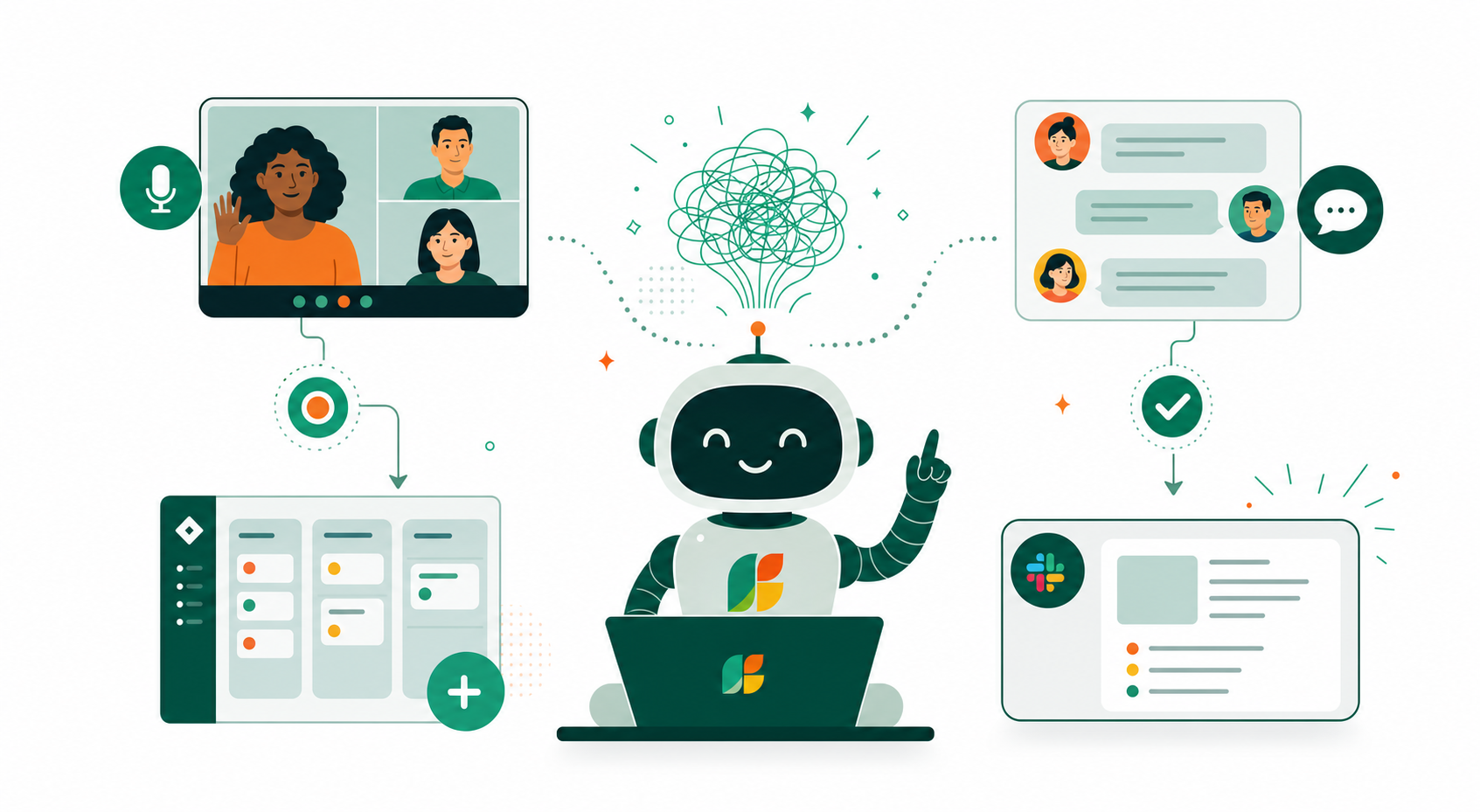
Each team has their own way of working. Whether you prefer live standups, async standups, or a mix of both, Spinach is here to help you run better daily communication, capture important decisions and action items, and suggest new tickets based on your discussion. See the benefits of daily standup meetings for your team.
At Spinach, we record live standups Monday, Tuesday, Thursday and submit async Check-Ins on Wednesdays and Fridays. This combination captures the real-time discussion when we need it and removes the meeting overhead when we don’t.
1. Meeting-free days. You can write your Check-In in Spinach, skip the meeting, and we’ll share a summary in your Slack channel. The best part? You won’t lose any history or context when switching between live and async standups.
2. Can’t make it to standup. Stuff happens. Time zones are challenging. If you need to miss standup, you can still add your Check-In to the live meeting. If you aren’t there, Spinach automatically labels it “Async Check-In”. And you can see what you missed in the daily summary.
Whether live or async, Spinach makes all your meetings better. Spinach is your AI Scrum Master that keeps your standups on track, captures decisions, action items, and ticket details so nothing falls through the cracks. Plus, Spinach connects with all the tools you already use, so you get an instant productivity boost, without any added complexity.
FAQ
Live standup vs async standup: which format should I use?
If your team is still building trust or struggling with alignment, live standups are the better fit. They provide real-time discussion and connection. If your team has high trust, aligned goals, and distributed time zones, async standups remove meeting overhead without losing context.
Can I capture both live and async standups in the same tool?
Yes. Spinach records live standup calls (Zoom, Google Meet, Microsoft Teams) in real time and converts them into tickets before the call ends. For async standups, team members submit Check-Ins in Spinach, skip the meeting, and the system auto-generates a summary and routes action items to Slack or Teams.
How does Spinach turn a standup into tickets before the call ends?
Spinach joins your virtual call, captures the conversation in real time, analyzes decisions and action items during the meeting, and suggests tickets with full context. You approve them, and they land in Jira or Linear before you leave the room. No post-meeting re-keying required.
What happens if someone misses a live standup?
If a team member can’t join the live standup, they can submit an async Check-In in Spinach. The system automatically labels it “Async Check-In” and includes it in the daily summary, so nothing gets lost and the missing person can catch up in Slack or Teams without watching a recording.
Ready to automate your standup notes and action items? Invite Spinach to your meetings today! 🚀
What should you do now
Now that you've read this article, here are some things you should do:
- You should check out our library of meeting agenda templates for every type of meeting.
- Check out Spinach to see how it can help you run a high performing org.
- If you found this article helpful, please share it with others on Linkedin or X (Twitter)

